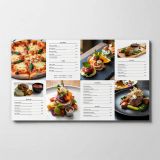
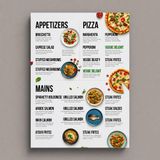
“Modern minimalist restaurant menu design, white background with colorful food photos in grid, sections for appetizers/pizza/mains, bold sans-serif fonts, vibrant accents, clean professional layout for casual dining.”
Vyro AI's professional-grade text-to-image model delivering photorealistic output with accurate text rendering and typography precision for commercial workflows
Details
imagineart-1.5-preview
Ready to integrate?
Access imagineart-1.5-preview via our unified API.
Starting from
Prices shown are in USD
See all providersProviders & Pricing (2)
ImagineArt 1.5 (Preview) is available from 2 providers, with per-image pricing starting at $0.03 through fal.ai.
fal/imagineart-1.5-preview
replicate/imagineart-1.5-preview
Output
Pricing Notes (2)
- • Most advanced photorealistic image generation model
- • Enhanced MoE architecture with industry-leading text generation
imagineart-1.5 API OpenAI-compatible
Integrate ImagineArt 1.5 (Preview) through Lumenfall’s OpenAI-compatible API to generate high-resolution professional images and typography-accurate media.
https://api.lumenfall.ai/openai/v1
imagineart-1.5-preview
Code Examples
Text to Image
/v1/images/generationscurl -X POST \
https://api.lumenfall.ai/openai/v1/images/generations \
-H "Authorization: Bearer $LUMENFALL_API_KEY" \
-H "Content-Type: application/json" \
-d '{
"model": "imagineart-1.5-preview",
"prompt": "",
"size": "1024x1024"
}'
# Response:
# { "created": 1234567890, "data": [{ "url": "https://...", "revised_prompt": "..." }] }
import OpenAI from 'openai';
const client = new OpenAI({
apiKey: 'YOUR_API_KEY',
baseURL: 'https://api.lumenfall.ai/openai/v1'
});
const response = await client.images.generate({
model: 'imagineart-1.5-preview',
prompt: '',
size: '1024x1024'
});
// { created: 1234567890, data: [{ url: "https://...", revised_prompt: "..." }] }
console.log(response.data[0].url);
from openai import OpenAI
client = OpenAI(
api_key="YOUR_API_KEY",
base_url="https://api.lumenfall.ai/openai/v1"
)
response = client.images.generate(
model="imagineart-1.5-preview",
prompt="",
size="1024x1024"
)
# { created: 1234567890, data: [{ url: "https://...", revised_prompt: "..." }] }
print(response.data[0].url)
Parameter Reference
Core Parameters
| Parameter | Type | Description | Modes |
|---|---|---|---|
prompt
|
string | Required. Text prompt for image generation |
T2I
|
seed
|
integer | Random seed for reproducibility |
T2I
|
Size & Layout
| Parameter | Type | Description | Modes |
|---|---|---|---|
size
|
string |
Image dimensions as WxH pixels (e.g. "1024x1024") or aspect ratio (e.g. "16:9")
WxH determines both shape and scale (aspect_ratio and resolution are ignored when size is provided). W:H format is equivalent to aspect_ratio.
|
T2I
|
aspect_ratio
|
string |
Aspect ratio of the output image (e.g. "16:9", "1:1")
Controls shape independently of scale. Use with resolution to control both. If size is also provided, size takes precedence. Any ratio is accepted and mapped to the nearest supported value.
|
T2I
|
resolution
|
string |
Output resolution tier (e.g. "1K", "4K")
1K
Controls scale independently of shape. Higher tiers produce larger images and cost more. If size is also provided, size takes precedence for scale. Any tier is accepted and mapped to the nearest supported value.
|
T2I
|
1K 9 sizes
| Output |
size
|
aspect_ratio
+
resolution
|
|
|---|---|---|---|
| 1183 × 887 | "1183x887" |
or |
"4:3"
+
"1K"
|
| 1024 × 1024 | "1024x1024" |
or |
"1:1"
+
"1K"
|
| 591 × 1774 | "591x1774" |
or |
"1:3"
+
"1K"
|
| 887 × 1182 | "887x1182" |
or |
"3:4"
+
"1K"
|
| 836 × 1254 | "836x1254" |
or |
"2:3"
+
"1K"
|
| 1254 × 836 | "1254x836" |
or |
"3:2"
+
"1K"
|
| 768 × 1365 | "768x1365" |
or |
"9:16"
+
"1K"
|
| 1365 × 768 | "1365x768" |
or |
"16:9"
+
"1K"
|
| 1773 × 591 | "1773x591" |
or |
"3:1"
+
"1K"
|
How these parameters work
size
Exact pixel dimensions
"1920x1080"
aspect_ratio
Shape only, default scale
"16:9"
resolution
Scale tier, preserves shape
"1K"
Priority when combined
size is most specific and always wins. aspect_ratio and resolution control shape and scale independently.
How matching works
7:1 on a model with
4:1 and 8:1,
you get 8:1.
0.5K 1K 2K 4K)
or megapixel tiers (0.25 1).
If the exact tier isn't available, you get the nearest one.
Output & Format
| Parameter | Type | Description | Modes |
|---|---|---|---|
response_format
|
string |
How to return the image
url
b64_json
Default:
"url" |
T2I
|
output_format
|
string |
Output image format
png
jpeg
gif
webp
avif
Gateway converts to requested format if provider doesn't support it natively.
|
T2I
|
output_compression
|
integer | Compression level for lossy formats (JPEG, WebP, AVIF) |
T2I
|
n
|
integer |
Number of images to generate
Default:
1Gateway generates multiple images in parallel even if provider only supports 1.
|
T2I
|
Parameter Normalization
How we handle parameters across different providers
Not every provider speaks the same language. When you send a parameter, we handle it in one of four ways depending on what the model supports:
| Behavior | What happens | Example |
|---|---|---|
passthrough |
Sent as-is to the provider | style, quality |
renamed |
Same value, mapped to the field name the provider expects | prompt |
converted |
Transformed to the provider's native format | size |
emulated |
Works even if the provider has no concept of it | n, response_format |
Parameters we don't recognize pass straight through to the upstream API, so provider-specific options still work.
ImagineArt 1.5 (Preview) Benchmarks
ImagineArt 1.5 (Preview) ranks #5 in the Text-to-Image arena with a competitive Elo rating of 1266. This model from Vyro AI sustains a high performance baseline across global image generation leaderboards.
Text-to-Image Landscape
Elo vs Cost
Elo vs Speed
8 without speed data omitted.
Competition Results
“Vintage minimalist restaurant logo for "Caffè Florian", retro cloche dome with steam and "Est. 1720" banner, classic typography, warm brown and cream tones, subtle texture on light background, vector emblem style.”
“Create a clean, modern vector infographic poster about the Apollo 11 mission. NASA-inspired palette (navy, white, muted red, light gray). Flat-vector style, crisp lines, consistent iconography, subtle gradients only. Steps (stop at landing): 1. Launch (Saturn Vicon) 2. Earth Orbit (Earth + orbit ring icon) 3. Translunar (trajectory arc icon) 4. Lunar Orbit (Moon + orbit ring icon) 5. Descent (lunar module descending icon) 6. Landing (lunar module on the surface icon) Small supporting elements (minimal text): • Crew strip: three silhouette icons with only last names: Armstrong, Aldrin, Collins. • Landing site marker: Moon pin labeled "Tranquility" only. Layout constraints: generous margins, large readable labels, clean background with subtle stars. Vector-only, print-poster look, high resolution.”
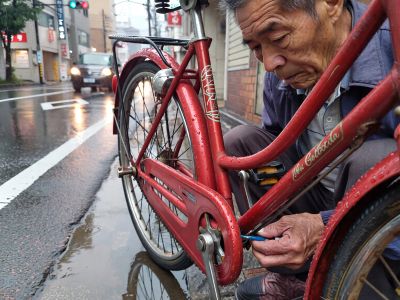
“A candid street photo of an elderly Japanese man repairing a red bicycle in light rain, reflections on wet pavement, shallow depth of field, 50mm lens, natural skin texture, imperfect framing, motion blur from passing cars, cinematic but realistic, no stylization.”
“Vintage minimalist restaurant logo for "Caffè Florian", retro cloche dome with steam and "Est. 1720" banner, classic typography, warm brown and cream tones, subtle texture on light background, vector emblem style.”
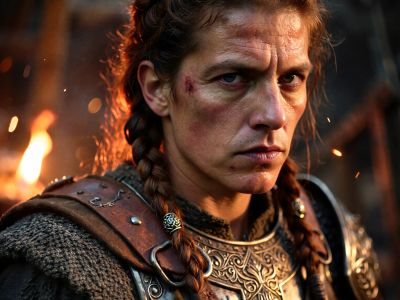
“Close portrait of a battle-worn paladin in ornate engraved plate armor, hair braided with small beads, faint scars and dirt on the skin, warm torchlight reflecting off metal, shallow depth of field, bokeh sparks, lifelike eyes, highly detailed texture on leather straps and cloth underlayer.”
Uncategorized
“Hyper-photorealistic full-body portrait of a female superhero standing triumphantly on a New York skyscraper rooftop at golden sunset, wearing a classic modest superhero costume with flowing cape, chest emblem, gloves, and boots in red and blue colors, practical design, short hair, strong determined heroic expression looking into the distance, powerful confident stance with hands on hips and cape billowing dramatically in the wind, detailed urban cityscape background, warm natural sunlight with sharp shadows and fabric highlights, ultra-sharp textures on suit, hair, and concrete, 8K masterpiece, empowering family-friendly style.”
“Perfectly symmetrical mandala made entirely of real flowers, petals, leaves, fruits, and seeds in vibrant natural colors, intricate layered patterns with radial symmetry, top-down view on a soft neutral background, hyper-detailed organic textures and subtle shadows, photorealistic, 8K masterpiece.”
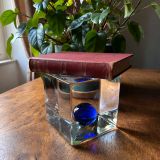
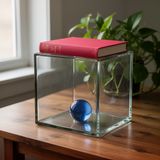
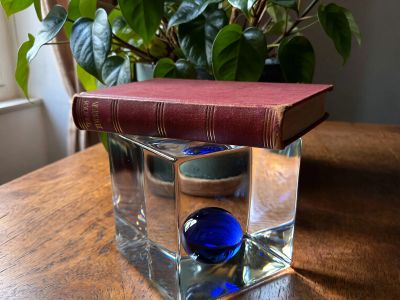
“A glass cube on a wooden table. Inside the cube is a small blue sphere. On top of the cube sits a red book. A green plant is behind the cube, partially visible through the glass. Soft window light from the left.”
“Hyper-photorealistic interior of a lush Victorian glass greenhouse filled with exotic tropical plants, vibrant blooming orchids, tall ferns, colorful butterflies in flight, sunlight filtering through ornate glass roof creating realistic caustics and dew on leaves, intricate iron framework visible, misty atmosphere, 8K masterpiece.”
“Create a clear, 45° top-down isometric miniature 3D cartoon scene of Japan's signature dish: sushi, with soft refined textures, realistic PBR materials, gentle lighting, on a small raised diorama base with minimal garnish and plate. Solid light blue background. At top-center: 'JAPAN' in large bold text, 'SUSHI' below it, small flag icon. Perfectly centered, ultra-clean, high-clarity, square format.”
“Close portrait of a battle-worn paladin in ornate engraved plate armor, hair braided with small beads, faint scars and dirt on the skin, warm torchlight reflecting off metal, shallow depth of field, bokeh sparks, lifelike eyes, highly detailed texture on leather straps and cloth underlayer.”
Top Matchups
See how ImagineArt 1.5 (Preview) performs head-to-head against other AI models, ranked by community votes in blind comparisons.
vs Nano Banana Pro
Challenge: Victorian Greenhouse Oasis
33% W · 67% L
vs Nano Banana
Challenge: Heroic Super Hero Portrait
100% W · 0% L
vs FLUX.2 [dev] Turbo
Challenge: Geometric Composition
0% W · 50% L · 50% T
vs Grok Imagine Image
Challenge: Modern Clean Menu
50% W · 50% L
vs Stable Diffusion 3.5 Large
Challenge: Apollo 11: Journey to Tranquility
0% W · 100% L
ImagineArt 1.5 (Preview) is best for
See all Use CasesThe model excels in high-fidelity media production, ranking #5 for photorealism with a 64.7% win rate and #6 for portrait generation. Performance is balanced across professional categories like branding and text rendering, where it maintains win rates of 57.1% and 56.8% respectively.
Gallery
View all 16 imagesImagineArt 1.5 (Preview) FAQ
How much does ImagineArt 1.5 (Preview) cost?
ImagineArt 1.5 (Preview) starts at $0.03 per image through Lumenfall. Pricing varies by provider. Lumenfall does not add any markup to provider pricing.
How do I use ImagineArt 1.5 (Preview) via API?
You can use ImagineArt 1.5 (Preview) through Lumenfall's OpenAI-compatible API. Send requests to the unified endpoint with model ID "imagineart-1.5-preview". Code examples are available in Python, JavaScript, and cURL.
Which providers offer ImagineArt 1.5 (Preview)?
ImagineArt 1.5 (Preview) is available through Replicate and fal.ai on Lumenfall. Lumenfall automatically routes requests to the best available provider.
What is the maximum resolution for ImagineArt 1.5 (Preview)?
ImagineArt 1.5 (Preview) supports images up to 2048x2048 resolution.
Overview
ImagineArt 1.5 (Preview) is a high-fidelity text-to-image model developed by Vyro AI, designed specifically for professional and commercial design workflows. It distinguishes itself from earlier iterations by prioritizing photorealistic textures and a significant reduction in anatomical artifacts. The model is particularly focused on solving the historical challenge of legibility in generated imagery, offering enhanced control over embedded text and brand elements.
Strengths
- Typography Precision: Effectively renders complex strings of text within images, maintaining correct spelling and font consistency across varied backgrounds.
- Photorealistic Textures: Produces skin tones, fabric weaves, and environmental lighting that closely mimic real-world photography, suitable for high-end lookbooks or product mockups.
- Prompt Adherence: Shows a high degree of sensitivity to descriptive modifiers, allowing for precise control over camera angles, depth of field, and specific lighting conditions.
- Compositional Stability: Demonstrates improved spatial awareness, accurately placing objects according to prepositional phrases in the prompt (e.g., “behind,” “leaning against,” or “centered within”).
Limitations
- Computational Latency: As a preview model optimized for quality, generation times may be longer compared to “Turbo” or lightning-distilled models intended for real-time applications.
- Complexity in Fine Details: While primary subjects are sharp, extremely busy backgrounds or crowds in the far distance may still exhibit some characteristic AI softening or blurring.
- Experimental Nature: Being a preview release, some edge-case prompts may yield inconsistent results as the model weights undergo further refinement for the final stable release.
Technical Background
ImagineArt 1.5 is built upon a latent diffusion architecture tailored for high-resolution output without the need for immediate upscaling. Vyro AI utilized a curated dataset of professional photography and graphic design assets, emphasizing high-contrast lighting and legible typography during the fine-tuning phase. Key technical optimizations were made to the cross-attention layers to improve the alignment between specific text tokens and their visual representation in the final pixel grid.
Best For
ImagineArt 1.5 is an ideal choice for creating marketing collateral, social media assets, and product concepts where brand messaging or specific text must be legible. It is particularly effective for designers who require a “photographed” look rather than an “illustrated” one.
You can experiment with ImagineArt 1.5 (Preview) and integrate it into your production environment through Lumenfall’s unified API and interactive playground.
Try ImagineArt 1.5 (Preview) in Playground
Generate images with custom prompts — no API key needed.