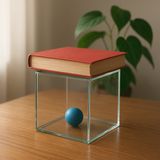
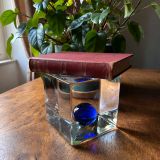
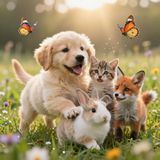
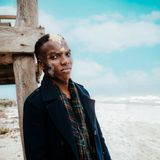
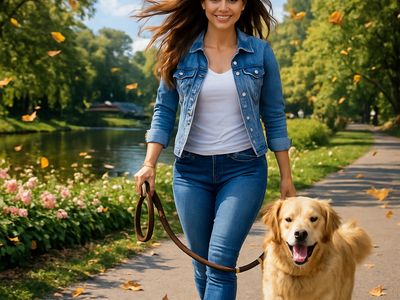
“Use Image 1 as the base person. Dress them in the exact elaborate outfit from Image 2 (including all layers, accessories, jewelry, and shoes). Carefully adapt the clothing to the body shape and pose in Image 1 while maintaining realistic fabric behavior, correct proportions, and perfect lighting/shadow matching. Keep the person’s exact face, hair, and background completely unchanged.”
OpenAI's cost-effective image generation model for when image quality isn't the top priority
Details
gpt-image-1-mini
Starting from
By quality
Prices shown are in USD
See all providersProvider Performance
Fastest generation through openai at 17,840ms median latency with 97.1% success rate.
Aggregated from real API requests over the last 30 days.
Generation Time
Success Rate
Time to First Byte
Provider Rankings
| # | Provider | p50 Gen Time | p95 Gen Time | Success Rate | TTFB (p50) |
|---|---|---|---|---|---|
| 1 | openai | 17,840ms | 46,372ms | 97.1% | 17,216ms |
Providers & Pricing (2)
GPT Image 1 Mini is available from 2 providers, with per-image pricing starting at $0.005 through fal.ai.
fal/gpt-image-1-mini-edit
openai/gpt-image-1-mini
Input
Output
Pricing Notes (3)
- • Pricing available in both token-based and per-image formats
- • Per-image prices vary by quality (low/medium/high) and size
- • Cost-effective option when image quality isn't the top priority
GPT Image 1 Mini API OpenAI-compatible
Integrate GPT Image 1 Mini into your application for automated text-to-image generation and image editing via the Lumenfall OpenAI-compatible API. This standardized endpoint allows developers to programmatically generate and modify media using simple POST requests.
https://api.lumenfall.ai/openai/v1
gpt-image-1-mini
Code Examples
Image Edit
/v1/images/editscurl -X POST \
https://api.lumenfall.ai/openai/v1/images/edits \
-H "Authorization: Bearer $LUMENFALL_API_KEY" \
-F "model=gpt-image-1-mini" \
-F "[email protected]" \
-F "prompt=Add a starry night sky to this image" \
-F "size=1024x1024"
# Response:
# { "created": 1234567890, "data": [{ "url": "https://...", "revised_prompt": "..." }] }
import OpenAI from 'openai';
import fs from 'fs';
const client = new OpenAI({
apiKey: 'YOUR_API_KEY',
baseURL: 'https://api.lumenfall.ai/openai/v1'
});
const response = await client.images.edit({
model: 'gpt-image-1-mini',
image: fs.createReadStream('source.png'),
prompt: 'Add a starry night sky to this image',
size: '1024x1024'
});
// { created: 1234567890, data: [{ url: "https://...", revised_prompt: "..." }] }
console.log(response.data[0].url);
from openai import OpenAI
client = OpenAI(
api_key="YOUR_API_KEY",
base_url="https://api.lumenfall.ai/openai/v1"
)
response = client.images.edit(
model="gpt-image-1-mini",
image=open("source.png", "rb"),
prompt="Add a starry night sky to this image",
size="1024x1024"
)
# { created: 1234567890, data: [{ url: "https://...", revised_prompt: "..." }] }
print(response.data[0].url)
Parameter Reference
Core Parameters
| Parameter | Type | Description | Modes |
|---|---|---|---|
prompt
|
string | Required. Text prompt for image generation |
T2I
Edit
|
Size & Layout
| Parameter | Type | Description | Modes |
|---|---|---|---|
size
|
string |
Image dimensions as WxH pixels (e.g. "1024x1024") or aspect ratio (e.g. "16:9")
1024x1024
1536x1024
1024x1536
WxH determines both shape and scale (aspect_ratio and resolution are ignored when size is provided). W:H format is equivalent to aspect_ratio.
|
T2I
Edit
|
aspect_ratio
|
string |
Aspect ratio of the output image (e.g. "16:9", "1:1")
2:3
1:1
3:2
Controls shape independently of scale. Use with resolution to control both. If size is also provided, size takes precedence. Any ratio is accepted and mapped to the nearest supported value.
|
T2I
Edit
|
resolution
|
string |
Output resolution tier (e.g. "1K", "4K")
1K
Controls scale independently of shape. Higher tiers produce larger images and cost more. If size is also provided, size takes precedence for scale. Any tier is accepted and mapped to the nearest supported value.
|
T2I
Edit
|
| Output |
size
|
aspect_ratio
+
resolution
|
|
|---|---|---|---|
| Flexible | |||
|
Custom
1024–1536px per side
|
"WxH" |
— | Any pixel dimensions within model constraints |
1K 3 sizes
| Output |
size
|
aspect_ratio
+
resolution
|
|
|---|---|---|---|
| 1024 × 1536 | "1024x1536" |
or |
"2:3"
+
"1K"
|
| 1536 × 1024 | "1536x1024" |
or |
"3:2"
+
"1K"
|
| 1024 × 1024 | "1024x1024" |
or |
"1:1"
+
"1K"
|
How these parameters work
size
Exact pixel dimensions
"1920x1080"
aspect_ratio
Shape only, default scale
"16:9"
resolution
Scale tier, preserves shape
"1K"
Priority when combined
size is most specific and always wins. aspect_ratio and resolution control shape and scale independently.
How matching works
7:1 on a model with
4:1 and 8:1,
you get 8:1.
0.5K 1K 2K 4K)
or megapixel tiers (0.25 1).
If the exact tier isn't available, you get the nearest one.
Media Inputs
| Parameter | Type | Description | Modes |
|---|---|---|---|
image
|
file |
Required.
Input image(s) to edit
Supports PNG, JPEG, WebP.
Up to 10 images per request.
|
T2I
Edit
|
Output & Format
| Parameter | Type | Description | Modes |
|---|---|---|---|
response_format
|
string |
How to return the image
url
b64_json
Default:
"url" |
T2I
Edit
|
output_format
|
string |
Output image format
png
jpeg
gif
webp
avif
Gateway converts to requested format if provider doesn't support it natively.
|
T2I
Edit
|
output_compression
|
integer | Compression level for lossy formats (JPEG, WebP, AVIF) |
T2I
Edit
|
n
|
integer |
Number of images to generate
Default:
1Gateway generates multiple images in parallel even if provider only supports 1.
|
T2I
Edit
|
Additional Parameters
Provider-specific passthrough fields, available only when the request is routed to the listed provider.
| Parameter | Type | Description | Modes |
|---|---|---|---|
|
Universal
|
|||
background
|
string |
Background handling. `transparent` requires an output format that supports transparency, such as `png` or `webp`.
opaque
transparent
|
T2I
Edit
|
|
fal
|
|||
sync_mode
|
boolean | If `True`, the media will be returned as a data URI and the output data won't be available in the request history. |
T2I
Edit
|
|
openai
|
|||
moderation
|
string |
Content moderation strictness for GPT image models.
low
|
T2I
Edit
|
user
|
string | Stable end-user identifier used by OpenAI abuse monitoring. |
T2I
Edit
|
Parameter Normalization
How we handle parameters across different providers
Not every provider speaks the same language. When you send a parameter, we handle it in one of four ways depending on what the model supports:
| Behavior | What happens | Example |
|---|---|---|
passthrough |
Sent as-is to the provider | style, quality |
renamed |
Same value, mapped to the field name the provider expects | prompt |
converted |
Transformed to the provider's native format | size |
emulated |
Works even if the provider has no concept of it | n, response_format |
Parameters we don't recognize pass straight through to the upstream API, so provider-specific options still work.
GPT Image 1 Mini Benchmarks
GPT Image 1 Mini holds the #12 position for text-to-image generation with a competitive Elo rating of 1247. This OpenAI model offers a balanced performance profile, ranking in the top tier of international image generation benchmarks for speed and efficiency.
Image Editing Landscape
Elo vs Cost
Elo vs Speed
Competition Results
Uncategorized
“Use Image 1 as the exact pose reference and Image 2 as the character reference. Recreate the person/character from Image 2 in the exact dynamic pose and body position from Image 1. Keep the exact face, hair, clothing style/details, and expression from Image 2. Match the lighting and environment of Image 1. The final image must show the character from Image 2 performing the precise action/pose from Image 1 with perfect anatomy and natural integration.”
Top Matchups
See how GPT Image 1 Mini performs head-to-head against other AI models, ranked by community votes in blind comparisons.
vs ImagineArt 1.5 (Preview)
Challenge: Geometric Composition
50% W · 50% L
vs FLUX.2 [klein] 9B
Challenge: Pose & Character Mashup
50% W · 50% L
vs Nano Banana Pro
Challenge: Candid Street Photography
0% W · 100% L
vs Nano Banana 2
Challenge: Fantasy Warrior
0% W · 100% L
vs DALL-E 3
Challenge: Chalkboard Menu
100% W · 0% L
Use Cases
See all Use CasesThis model excels in portrait generation where it ranks #3 out of 19 with a 69.6% win rate, though its photorealism performance is more moderate at #9 with a 50.0% win rate. It is optimized for cost-effective text-to-image workflows and precise image editing tasks where rapid iteration is required.
Gallery
View all 2 imagesGPT Image 1 Mini FAQ
How much does GPT Image 1 Mini cost?
GPT Image 1 Mini starts at $0.005 per image through Lumenfall. Pricing varies by provider. Lumenfall does not add any markup to provider pricing.
How do I use GPT Image 1 Mini via API?
You can use GPT Image 1 Mini through Lumenfall's OpenAI-compatible API. Send requests to the unified endpoint with model ID "gpt-image-1-mini". Code examples are available in Python, JavaScript, and cURL.
Which providers offer GPT Image 1 Mini?
GPT Image 1 Mini is available through OpenAI and fal.ai on Lumenfall. Lumenfall automatically routes requests to the best available provider.
What is the maximum resolution for GPT Image 1 Mini?
GPT Image 1 Mini supports images up to 1536x1536 resolution.
Overview
GPT Image 1 Mini is a lightweight image generation model developed by OpenAI, designed specifically for efficiency and high-speed throughput. It serves as a cost-effective alternative to larger, high-fidelity diffusion models, prioritizing rapid iteration and lower compute costs over photorealistic detail. The model belongs to the gpt-image family and supports both text-to-image generation and image-to-image editing tasks.
Strengths
- Cost Efficiency: With a starting price of $0.005 per generation, it is significantly more economical than flagship models for large-scale batch processing.
- Latency: Optimized for speed, making it suitable for real-time applications where users expect near-instant visual feedback.
- Resource Management: Minimal computational footprint allows for high-concurrency deployments without the overhead associated with larger generative models.
- Functional Prototyping: Highly effective for generating placeholders, UI wireframes, or conceptual layouts where semantic accuracy is more important than visual texture or finish.
Limitations
- Lower Aesthetic Fidelity: The model is not designed for photorealism or high-definition artistic output; users may notice artifacts or lower detail in complex textures.
- Limited Fine Detail: Struggles with intricate spatial relationships or the precise rendering of small, complex elements like human hands or background text.
- Reduced Stylistic Range: While it follows prompts reliably, it lacks the creative breadth and nuanced stylistic mimicry found in its more robust counterparts.
Technical Background
GPT Image 1 Mini utilizes a streamlined architecture within the OpenAI gpt-image lineage, likely employing a distilled version of larger diffusion or transformer-based generative frameworks. The training approach focuses on maximizing the ratio of prompt alignment to parameter count, allowing the model to interpret user intent accurately while reducing the floating-point operations required for each inference. This efficiency is achieved through architectural pruning and optimized sampling techniques.
Best For
This model is ideal for developers building internal tools, automated placeholder generators, or rapid ideation features where “good enough” quality is sufficient. It is particularly effective for generating icons, simple vector-style graphics, or testing prompt engineering workflows at scale.
GPT Image 1 Mini is available through Lumenfall’s unified API and playground, allowing you to integrate it into your pipeline alongside other generative models via a single interface.

Try GPT Image 1 Mini in Playground
Generate images with custom prompts — no API key needed.