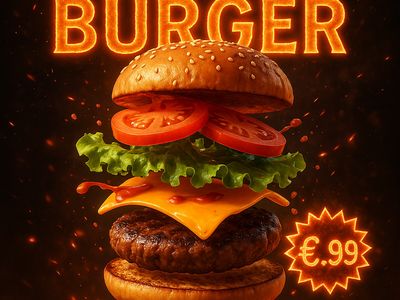
OpenAI's previous image generation model that accepts both text and image inputs and produces image outputs
Details
gpt-image-1
Starting from
By quality
Prices shown are in USD
See all providersProviders & Pricing (3)
GPT Image 1 is available from 3 providers, with per-image pricing starting at $0.011 through fal.ai.
All modes
fal/gpt-image-1
Output
Pricing Notes (2)
- • Pricing passes through OpenAI rates
- • Per-image prices vary by quality (low/medium/high) and size
fal/gpt-image-1-edit
Output
Pricing Notes (2)
- • Pricing passes through OpenAI rates
- • Per-image prices vary by quality (low/medium/high) and size
openai/gpt-image-1
Input
Output
Pricing Notes (3)
- • Pricing available in both token-based and per-image formats
- • Per-image prices vary by quality (low/medium/high) and size
- • Supports up to 10 input images; first image preserved with higher fidelity
GPT Image 1 API OpenAI-compatible
Access GPT Image 1 through Lumenfall’s OpenAI-compatible API to programmatically generate images or perform image editing tasks via a single endpoint.
https://api.lumenfall.ai/openai/v1
gpt-image-1
Code Examples
Text to Image
/v1/images/generationscurl -X POST \
https://api.lumenfall.ai/openai/v1/images/generations \
-H "Authorization: Bearer $LUMENFALL_API_KEY" \
-H "Content-Type: application/json" \
-d '{
"model": "gpt-image-1",
"prompt": "",
"size": "1024x1024"
}'
# Response:
# { "created": 1234567890, "data": [{ "url": "https://...", "revised_prompt": "..." }] }
import OpenAI from 'openai';
const client = new OpenAI({
apiKey: 'YOUR_API_KEY',
baseURL: 'https://api.lumenfall.ai/openai/v1'
});
const response = await client.images.generate({
model: 'gpt-image-1',
prompt: '',
size: '1024x1024'
});
// { created: 1234567890, data: [{ url: "https://...", revised_prompt: "..." }] }
console.log(response.data[0].url);
from openai import OpenAI
client = OpenAI(
api_key="YOUR_API_KEY",
base_url="https://api.lumenfall.ai/openai/v1"
)
response = client.images.generate(
model="gpt-image-1",
prompt="",
size="1024x1024"
)
# { created: 1234567890, data: [{ url: "https://...", revised_prompt: "..." }] }
print(response.data[0].url)
Image Edit
/v1/images/editsParameter Reference
Core Parameters
| Parameter | Type | Description | Modes |
|---|---|---|---|
prompt
|
string | Required. Text prompt for image generation |
T2I
Edit
|
Size & Layout
| Parameter | Type | Description | Modes |
|---|---|---|---|
size
|
string |
Image dimensions as WxH pixels (e.g. "1024x1024") or aspect ratio (e.g. "16:9")
WxH determines both shape and scale (aspect_ratio and resolution are ignored when size is provided). W:H format is equivalent to aspect_ratio.
|
T2I
Edit
|
aspect_ratio
|
string |
Aspect ratio of the output image (e.g. "16:9", "1:1")
Controls shape independently of scale. Use with resolution to control both. If size is also provided, size takes precedence. Any ratio is accepted and mapped to the nearest supported value.
|
T2I
Edit
|
resolution
|
string |
Output resolution tier (e.g. "1K", "4K")
Controls scale independently of shape. Higher tiers produce larger images and cost more. If size is also provided, size takes precedence for scale. Any tier is accepted and mapped to the nearest supported value.
|
T2I
Edit
|
size
Exact pixel dimensions
"1920x1080"
aspect_ratio
Shape only, default scale
"16:9"
resolution
Scale tier, preserves shape
"1K"
Priority when combined
size is most specific and always wins. aspect_ratio and resolution control shape and scale independently.
How matching works
7:1 on a model with
4:1 and 8:1,
you get 8:1.
0.5K 1K 2K 4K)
or megapixel tiers (0.25 1).
If the exact tier isn't available, you get the nearest one.
Media Inputs
| Parameter | Type | Description | Modes |
|---|---|---|---|
image
|
file |
Required.
Input image(s) to edit
Supports PNG, JPEG, WebP.
|
T2I
Edit
|
Output & Format
| Parameter | Type | Description | Modes |
|---|---|---|---|
response_format
|
string |
How to return the image
url
b64_json
Default:
"url" |
T2I
Edit
|
output_format
|
string |
Output image format
png
jpeg
gif
webp
avif
Gateway converts to requested format if provider doesn't support it natively.
|
T2I
Edit
|
output_compression
|
integer | Compression level for lossy formats (JPEG, WebP, AVIF) |
T2I
Edit
|
n
|
integer |
Number of images to generate
Default:
1Gateway generates multiple images in parallel even if provider only supports 1.
|
T2I
Edit
|
Parameter Normalization
How we handle parameters across different providers
Not every provider speaks the same language. When you send a parameter, we handle it in one of four ways depending on what the model supports:
| Behavior | What happens | Example |
|---|---|---|
passthrough |
Sent as-is to the provider | style, quality |
renamed |
Same value, mapped to the field name the provider expects | prompt |
converted |
Transformed to the provider's native format | size |
emulated |
Works even if the provider has no concept of it | n, response_format |
Parameters we don't recognize pass straight through to the upstream API, so provider-specific options still work.
Gallery
View all 3 imagesGPT Image 1 FAQ
How much does GPT Image 1 cost?
GPT Image 1 starts at $0.011 per image through Lumenfall. Pricing varies by provider. Lumenfall does not add any markup to provider pricing.
How do I use GPT Image 1 via API?
You can use GPT Image 1 through Lumenfall's OpenAI-compatible API. Send requests to the unified endpoint with model ID "gpt-image-1". Code examples are available in Python, JavaScript, and cURL.
Which providers offer GPT Image 1?
GPT Image 1 is available through OpenAI and fal.ai on Lumenfall. Lumenfall automatically routes requests to the best available provider.
What is the maximum resolution for GPT Image 1?
GPT Image 1 supports images up to 1536x1536 resolution.
Overview
GPT Image 1 is a multimodal generative model developed by OpenAI that produces visual content from both text and image-based prompts. Unlike traditional text-to-image models that rely solely on natural language, this model supports image-to-image workflows, allowing users to provide an existing visual reference as a baseline for generation. It serves as a versatile tool for both creation from scratch and iterative image editing.
Strengths
- Multimodal Input Processing: Specifically designed to ingest both image and text inputs concurrently, allowing for precise control over the visual style, composition, or subject matter of the output.
- Image Editing and Inpainting: Excels at modifying existing imagery based on text instructions, such as adding objects, changing backgrounds, or adjusting stylistic elements while maintaining parity with the original file.
- Prompt Adherence: Demonstrates strong alignment with complex, multi-part text descriptions, translating specific descriptors into coherent visual arrangements.
- Workflow Integration: Operates effectively in pipelines requiring consistent transformations across multiple images, such as applying a uniform art style to different source photographs.
Limitations
- Lower Resolution Output: Compared to the most recent state-of-the-art diffusion models, the native resolution and fine-grained texture detail may be less sharp.
- Anatomical Accuracy: Like many models in its generation, it may struggle with highly precise anatomical details, such as the exact number of human fingers or complex mechanical interlockings.
- Text Rendering: While capable of generating imagery, the model is not optimized for rendering legible, high-fidelity typography within an image.
Technical Background
GPT Image 1 belongs to the GPT-image family, utilizing a transformer-based architecture adapted for visual synthesis. It was developed by OpenAI using a training methodology centered on understanding the relationship between visual tokens and linguistic semantics. This approach allows the model to treat image pixels or latent representations similarly to how its predecessors treated text tokens, enabling fluid reasoning between the two modalities.
Best For
GPT Image 1 is best suited for visual brainstorming, creating assets from rough sketches, and performing guided image-to-image translations where a reference image is mandatory. It is a reliable choice for developers building tools for photo editing, concept art iteration, or social media content generation.
GPT Image 1 is available for integration and testing through Lumenfall’s unified API and interactive playground, providing a streamlined environment to compare its multimodal capabilities against other modern generative models.
Try GPT Image 1 in Playground
Generate images with custom prompts — no API key needed.