“A candid street photo of an elderly Japanese man repairing a red bicycle in light rain, reflections on wet pavement, shallow depth of field, 50mm lens, natural skin texture, imperfect framing, motion blur from passing cars, cinematic but realistic, no stylization.”
Google's Imagen 4.0 Fast model optimized for speed and efficiency, suitable for high-volume image generation tasks
Details
imagen-4.0-fast-generate-001
Ready to integrate?
Access imagen-4.0-fast-generate-001 via our unified API.
Starting from
Prices shown are in USD
See all providersProvider Performance
Fastest generation through gemini at 4,767ms median latency with 90.9% success rate.
Aggregated from real API requests over the last 30 days.
Generation Time
Success Rate
Time to First Byte
Provider Rankings
| # | Provider | p50 Gen Time | p95 Gen Time | Success Rate | TTFB (p50) |
|---|---|---|---|---|---|
| 1 | gemini | 4,767ms | 5,682ms | 90.9% | 4,279ms |
Providers & Pricing (4)
Imagen 4.0 Fast Generate 001 is available from 4 providers, with per-image pricing starting at $0.02 through fal.ai.
fal/imagen-4.0-fast-generate-001
Output
Pricing Notes (2)
- • Faster version of Imagen 4 for speed-focused use cases
- • Supports aspect ratios: 1:1, 16:9, 9:16, 4:3, 3:4
gemini/imagen-4.0-fast-generate-001
replicate/imagen-4.0-fast-generate-001
vertex/imagen-4.0-fast-generate-001
Imagen 4.0 Fast Generate 001 API OpenAI-compatible
Integrate Imagen 4.0 Fast Generate 001 via the Lumenfall OpenAI-compatible API to generate high-speed images from text prompts using a single unified endpoint.
https://api.lumenfall.ai/openai/v1
imagen-4.0-fast-generate-001
Code Examples
Text to Image
/v1/images/generationscurl -X POST \
https://api.lumenfall.ai/openai/v1/images/generations \
-H "Authorization: Bearer $LUMENFALL_API_KEY" \
-H "Content-Type: application/json" \
-d '{
"model": "imagen-4.0-fast-generate-001",
"prompt": "",
"size": "1024x1024"
}'
# Response:
# { "created": 1234567890, "data": [{ "url": "https://...", "revised_prompt": "..." }] }
import OpenAI from 'openai';
const client = new OpenAI({
apiKey: 'YOUR_API_KEY',
baseURL: 'https://api.lumenfall.ai/openai/v1'
});
const response = await client.images.generate({
model: 'imagen-4.0-fast-generate-001',
prompt: '',
size: '1024x1024'
});
// { created: 1234567890, data: [{ url: "https://...", revised_prompt: "..." }] }
console.log(response.data[0].url);
from openai import OpenAI
client = OpenAI(
api_key="YOUR_API_KEY",
base_url="https://api.lumenfall.ai/openai/v1"
)
response = client.images.generate(
model="imagen-4.0-fast-generate-001",
prompt="",
size="1024x1024"
)
# { created: 1234567890, data: [{ url: "https://...", revised_prompt: "..." }] }
print(response.data[0].url)
Parameter Reference
Core Parameters
| Parameter | Type | Description | Modes |
|---|---|---|---|
prompt
|
string | Required. Text prompt for image generation |
T2I
|
negative_prompt
|
string | Negative prompt to guide generation away from undesired content |
T2I
|
seed
|
integer | Random seed for reproducibility |
T2I
|
Size & Layout
| Parameter | Type | Description | Modes |
|---|---|---|---|
size
|
string |
Image dimensions as WxH pixels (e.g. "1024x1024") or aspect ratio (e.g. "16:9")
1365x768
768x1365
887x1182
1024x1024
1183x887
WxH determines both shape and scale (aspect_ratio and resolution are ignored when size is provided). W:H format is equivalent to aspect_ratio.
|
T2I
|
aspect_ratio
|
string |
Aspect ratio of the output image (e.g. "16:9", "1:1")
9:16
3:4
1:1
4:3
16:9
Controls shape independently of scale. Use with resolution to control both. If size is also provided, size takes precedence. Any ratio is accepted and mapped to the nearest supported value.
|
T2I
|
resolution
|
string |
Output resolution tier (e.g. "1K", "4K")
1K
Controls scale independently of shape. Higher tiers produce larger images and cost more. If size is also provided, size takes precedence for scale. Any tier is accepted and mapped to the nearest supported value.
|
T2I
|
1K 5 sizes
| Output |
size
|
aspect_ratio
+
resolution
|
|
|---|---|---|---|
| 1183 × 887 | "1183x887" |
or |
"4:3"
+
"1K"
|
| 1024 × 1024 | "1024x1024" |
or |
"1:1"
+
"1K"
|
| 887 × 1182 | "887x1182" |
or |
"3:4"
+
"1K"
|
| 768 × 1365 | "768x1365" |
or |
"9:16"
+
"1K"
|
| 1365 × 768 | "1365x768" |
or |
"16:9"
+
"1K"
|
How these parameters work
size
Exact pixel dimensions
"1920x1080"
aspect_ratio
Shape only, default scale
"16:9"
resolution
Scale tier, preserves shape
"1K"
Priority when combined
size is most specific and always wins. aspect_ratio and resolution control shape and scale independently.
How matching works
7:1 on a model with
4:1 and 8:1,
you get 8:1.
0.5K 1K 2K 4K)
or megapixel tiers (0.25 1).
If the exact tier isn't available, you get the nearest one.
Output & Format
| Parameter | Type | Description | Modes |
|---|---|---|---|
response_format
|
string |
How to return the image
url
b64_json
Default:
"url" |
T2I
|
output_format
|
string |
Output image format
png
jpeg
gif
webp
avif
Gateway converts to requested format if provider doesn't support it natively.
|
T2I
|
output_compression
|
integer | Compression level for lossy formats (JPEG, WebP, AVIF) |
T2I
|
n
|
integer |
Number of images to generate
Default:
1Gateway generates multiple images in parallel even if provider only supports 1.
|
T2I
|
Additional Parameters
| Parameter | Type | Description | Modes |
|---|---|---|---|
personGeneration
gemini
|
string |
Whether to allow generation of people. 'allow_adult' permits adults only; 'dont_allow' blocks all human generation.
allow_adult
dont_allow
|
T2I
|
safety_filter_level
replicate
|
string |
block_low_and_above is strictest, block_medium_and_above blocks some prompts, block_only_high is most permissive but some prompts will still be blocked
block_low_and_above
block_medium_and_above
block_only_high
|
T2I
|
safety_tolerance
fal
|
string |
The safety tolerance level for content moderation. 1 is the most strict (blocks most content), 6 is the least strict.
1
2
3
4
5
6
|
T2I
|
sync_mode
fal
|
boolean | If `True`, the media will be returned as a data URI and the output data won't be available in the request history. |
T2I
|
Parameter Normalization
How we handle parameters across different providers
Not every provider speaks the same language. When you send a parameter, we handle it in one of four ways depending on what the model supports:
| Behavior | What happens | Example |
|---|---|---|
passthrough |
Sent as-is to the provider | style, quality |
renamed |
Same value, mapped to the field name the provider expects | prompt |
converted |
Transformed to the provider's native format | size |
emulated |
Works even if the provider has no concept of it | n, response_format |
Parameters we don't recognize pass straight through to the upstream API, so provider-specific options still work.
Imagen 4.0 Fast Generate 001 Benchmarks
Imagen 4.0 Fast Generate 001 occupies the #25 position in the Text-to-Image arena with a competitive Elo rating of 1163. The model serves as a balanced performance benchmark for Google's low-latency vision architecture.
Text-to-Image Landscape
Elo vs Cost
Elo vs Speed
Competition Results
“Close portrait of a battle-worn paladin in ornate engraved plate armor, hair braided with small beads, faint scars and dirt on the skin, warm torchlight reflecting off metal, shallow depth of field, bokeh sparks, lifelike eyes, highly detailed texture on leather straps and cloth underlayer.”
Uncategorized
“Hyper-photorealistic scene of fluffy baby animals—a golden retriever puppy, tabby kitten, baby bunny, and red fox kit—with big expressive eyes and ultra-detailed soft fur, playfully chasing butterflies and tumbling together in a lush wildflower meadow, warm golden sunrise light with god rays and dew sparkles, joyful wholesome vibe, 8K masterpiece.”
“Close portrait of a battle-worn paladin in ornate engraved plate armor, hair braided with small beads, faint scars and dirt on the skin, warm torchlight reflecting off metal, shallow depth of field, bokeh sparks, lifelike eyes, highly detailed texture on leather straps and cloth underlayer.”
Use Cases
See all Use CasesThis model demonstrates significant strength in photorealism, where it ranks #10 out of 22 models with a 46.7% win rate, though it shows limitations in portrait generation with a #18 rank and 17.6% win rate. It is optimized for high-volume workflows where speed and realistic texture are prioritized over stylized character detail.
Gallery
View all 6 imagesImagen 4.0 Fast Generate 001 FAQ
How much does Imagen 4.0 Fast Generate 001 cost?
Imagen 4.0 Fast Generate 001 starts at $0.02 per image through Lumenfall. Pricing varies by provider. Lumenfall does not add any markup to provider pricing.
How do I use Imagen 4.0 Fast Generate 001 via API?
You can use Imagen 4.0 Fast Generate 001 through Lumenfall's OpenAI-compatible API. Send requests to the unified endpoint with model ID "imagen-4.0-fast-generate-001". Code examples are available in Python, JavaScript, and cURL.
Which providers offer Imagen 4.0 Fast Generate 001?
Imagen 4.0 Fast Generate 001 is available through Vertex AI, fal.ai, Replicate, and Gemini API on Lumenfall. Lumenfall automatically routes requests to the best available provider.
Overview
Imagen 4.0 Fast Generate 001 is a high-speed text-to-image model developed by Google, designed specifically for low-latency production environments. Belonging to the Imagen 4 family, this iteration prioritizes throughput and rapid inference without sacrificing the core visual coherence associated with Google’s generative research. It is architected to handle high-volume workloads where generation speed is the primary operational requirement.
Strengths
- Inference Latency: Optimized for near-instantaneous image creation, making it suitable for real-time applications and interactive user interfaces.
- Prompt Adherence: Demonstrates high fidelity to descriptive text inputs, maintaining consistent spatial relationships and object placement as defined in the prompt.
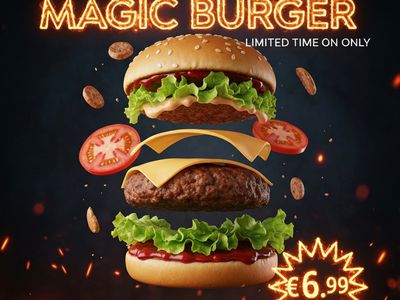
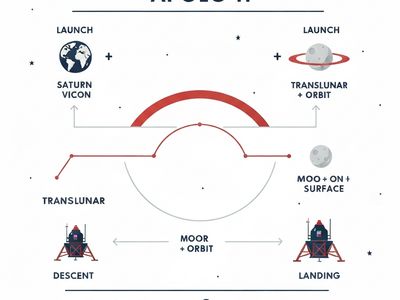
- Text Rendering: Improved accuracy in rendering legible text within generated images compared to earlier iterations of the Imagen family.
- Photorealistic Textures: Capable of producing sharp details in human skin, fabric, and environmental light, even within a compressed generation window.
Limitations
- Compositional Complexity: While fast, the model may struggle with extremely intricate scenes involving more than five or six distinct subjects compared to the larger, non-“Fast” variants of Imagen 4.
- Aspect Ratio Flexibility: Performance is most predictable at standard square resolutions, with some degradation in quality or increased artifacts when pushed to extreme panoramic or vertical dimensions.
- Fine Detail Consistency: In high-speed batches, small background details may occasionally lack the refined polish found in compute-heavy diffusion models.
Technical Background
The model is built on the Imagen 4 architecture, which utilizes a diffusion-based framework enhanced by Google’s latest advancements in transformer-based text encoders. To achieve the “Fast” designation, the model likely employs distilled sampling techniques or a reduced number of inference steps to accelerate the denoising process. This optimization allows the model to maintain a high aesthetic threshold while significantly reducing the total floating-point operations (FLOPs) required per image.
Best For
This model is ideal for dynamic content creation, such as real-time assets for gaming, rapid prototyping for marketing storyboards, and high-traffic web applications that require on-the-fly visual generation. It is a strong choice for developers who need a cost-effective solution for large-scale image batches.
Imagen 4.0 Fast Generate 001 is available through Lumenfall’s unified API and playground, allowing for seamless integration and side-by-side comparison with other industry-leading image models.

Try Imagen 4.0 Fast Generate 001 in Playground
Generate images with custom prompts — no API key needed.