Image Editing
Source
Edit instruction
“Create a caricature of me and my job. Make it exaggerated and humorous, incorporating my profession as a tv show anchor and my love for dogs and hockey.”
An image generation model by xAI designed to generate highly aesthetic images from text descriptions.
Grok Imagine Image currently holds an Elo rating of 1227 for text-to-image generation and an Elo of 1200 for image editing. It ranks 11th globally for image editing capabilities and 19th for general image generation performance.
1 model without pricing omitted.
20 models waiting for enough speed data.
“Create a caricature of me and my job. Make it exaggerated and humorous, incorporating my profession as a tv show anchor and my love for dogs and hockey.”
“Use Image 1 as the exact pose reference and Image 2 as the character reference. Recreate the person/character from Image 2 in the exact dynamic pose and body position from Image 1. Keep the exact face, hair, clothing style/details, and expression from Image 2. Match the lighting and environment of Image 1. The final image must show the character from Image 2 performing the precise action/pose from Image 1 with perfect anatomy and natural integration.”
“Use Image 1 as the base person. Dress them in the exact elaborate outfit from Image 2 (including all layers, accessories, jewelry, and shoes). Carefully adapt the clothing to the body shape and pose in Image 1 while maintaining realistic fabric behavior, correct proportions, and perfect lighting/shadow matching. Keep the person’s exact face, hair, and background completely unchanged.”
“Transform this photo into a Studio Ghibli–inspired illustration. Use soft pastel colors, hand-painted textures, gentle lighting, dreamy backgrounds, and a warm, nostalgic mood”
“Make a photo of the man driving the car down the California coastline”
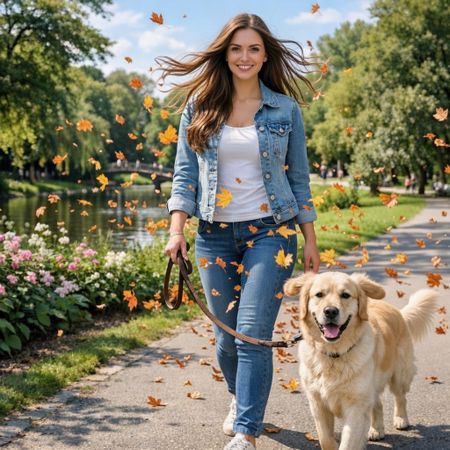

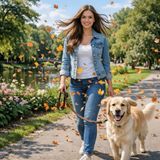
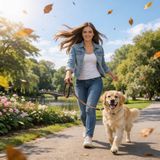
“Add dynamic motion to this photo: make hair blow in the wind, add leaves flying, energetic and lively feel.”
“Transform this photo into a Studio Ghibli–inspired illustration. Use soft pastel colors, hand-painted textures, gentle lighting, dreamy backgrounds, and a warm, nostalgic mood”
“Create a caricature of me and my job. Make it exaggerated and humorous, incorporating my profession as a tv show anchor and my love for dogs and hockey.”
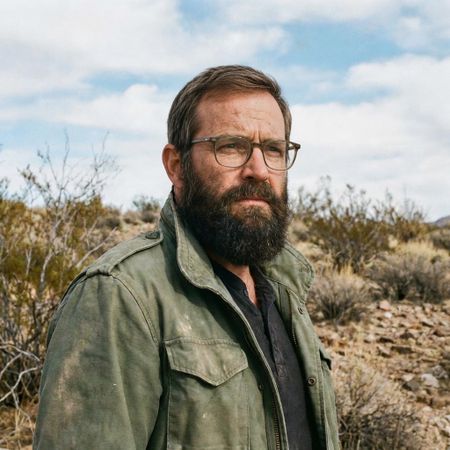

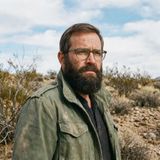
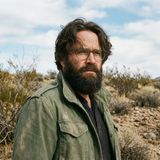
“Give the person a full, thick head of natural hair with realistic texture, density, and a natural hairline. Preserve facial features and lighting.”
“Make a photo of the man driving the car down the California coastline”
“Add dynamic motion to this photo: make hair blow in the wind, add leaves flying, energetic and lively feel.”
“Use Image 1 as the base person. Dress them in the exact elaborate outfit from Image 2 (including all layers, accessories, jewelry, and shoes). Carefully adapt the clothing to the body shape and pose in Image 1 while maintaining realistic fabric behavior, correct proportions, and perfect lighting/shadow matching. Keep the person’s exact face, hair, and background completely unchanged.”
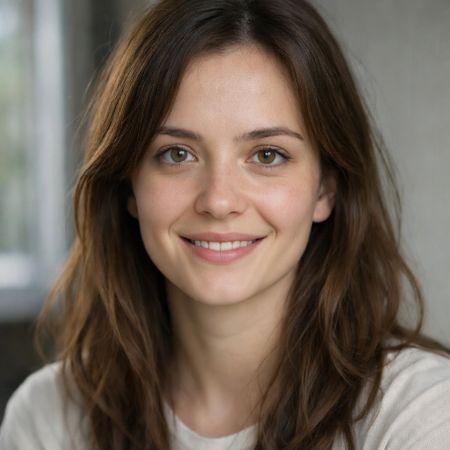
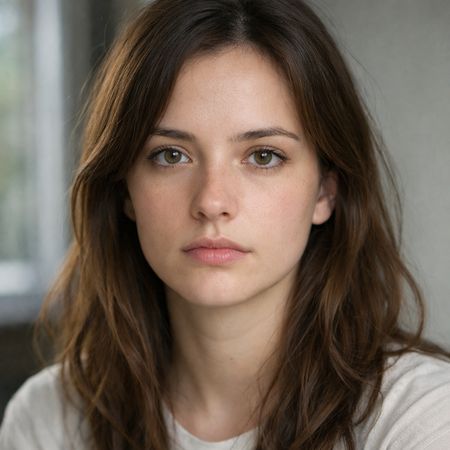
{
  "action": "image_edit",
  "reference": "uploaded neutral portrait",
  "change": "Warm genuine Duchenne smile: lips curved up, slight natural teeth, soft eye crinkles, subtle cheek raise",
  "details": "Realistic smiling skin (dimples if present, soft cheek shadows), slightly brighter eyes; keep exact eye shape/color/iris",
  "preserve_exact": "Face identity/structure, eyes/nose/lips/eyebrows, hair, skin texture/pores/freckles, makeup, clothing, head pose, background, lighting, shadows, framing",
  "no_changes": "No face shape change, no new features, no gaze shift, no hair/clothing/lighting/background edits",
  "style": "Ultra-photorealistic 8K portrait, sharp face focus, natural soft lighting, realistic skin glow"
}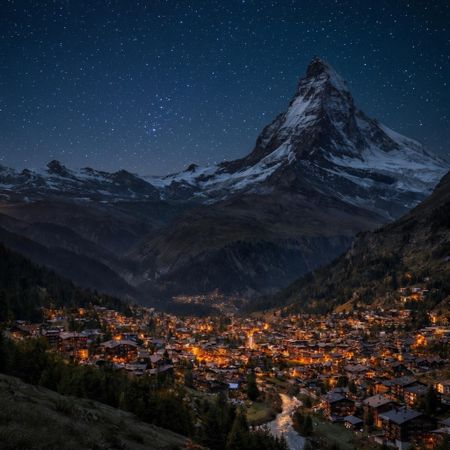
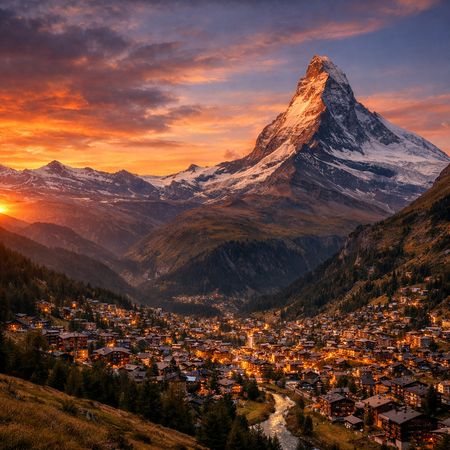
“Change the scene to night: a deep, dark sky with subtle, glistening stars visible behind the mountain.”
“Give the person a full, thick head of natural hair with realistic texture, density, and a natural hairline. Preserve facial features and lighting.”
“Transform this photo into a Studio Ghibli–inspired illustration. Use soft pastel colors, hand-painted textures, gentle lighting, dreamy backgrounds, and a warm, nostalgic mood”
“Create a caricature of me and my job. Make it exaggerated and humorous, incorporating my profession as a tv show anchor and my love for dogs and hockey.”
“Make a photo of the man driving the car down the California coastline”
“Add dynamic motion to this photo: make hair blow in the wind, add leaves flying, energetic and lively feel.”
“Use Image 1 as the exact pose reference and Image 2 as the character reference. Recreate the person/character from Image 2 in the exact dynamic pose and body position from Image 1. Keep the exact face, hair, clothing style/details, and expression from Image 2. Match the lighting and environment of Image 1. The final image must show the character from Image 2 performing the precise action/pose from Image 1 with perfect anatomy and natural integration.”
“Use Image 1 as the base person. Dress them in the exact elaborate outfit from Image 2 (including all layers, accessories, jewelry, and shoes). Carefully adapt the clothing to the body shape and pose in Image 1 while maintaining realistic fabric behavior, correct proportions, and perfect lighting/shadow matching. Keep the person’s exact face, hair, and background completely unchanged.”
{
  "action": "image_edit",
  "reference": "uploaded neutral portrait",
  "change": "Warm genuine Duchenne smile: lips curved up, slight natural teeth, soft eye crinkles, subtle cheek raise",
  "details": "Realistic smiling skin (dimples if present, soft cheek shadows), slightly brighter eyes; keep exact eye shape/color/iris",
  "preserve_exact": "Face identity/structure, eyes/nose/lips/eyebrows, hair, skin texture/pores/freckles, makeup, clothing, head pose, background, lighting, shadows, framing",
  "no_changes": "No face shape change, no new features, no gaze shift, no hair/clothing/lighting/background edits",
  "style": "Ultra-photorealistic 8K portrait, sharp face focus, natural soft lighting, realistic skin glow"
}“Make a photo of the man driving the car down the California coastline”
“Use Image 1 as the base person. Dress them in the exact elaborate outfit from Image 2 (including all layers, accessories, jewelry, and shoes). Carefully adapt the clothing to the body shape and pose in Image 1 while maintaining realistic fabric behavior, correct proportions, and perfect lighting/shadow matching. Keep the person’s exact face, hair, and background completely unchanged.”
“Make a photo of the man driving the car down the California coastline”
“Change the scene to night: a deep, dark sky with subtle, glistening stars visible behind the mountain.”
“Give the person a full, thick head of natural hair with realistic texture, density, and a natural hairline. Preserve facial features and lighting.”
“Make a photo of the man driving the car down the California coastline”
“Add dynamic motion to this photo: make hair blow in the wind, add leaves flying, energetic and lively feel.”
“Use Image 1 as the exact pose reference and Image 2 as the character reference. Recreate the person/character from Image 2 in the exact dynamic pose and body position from Image 1. Keep the exact face, hair, clothing style/details, and expression from Image 2. Match the lighting and environment of Image 1. The final image must show the character from Image 2 performing the precise action/pose from Image 1 with perfect anatomy and natural integration.”
“Use Image 1 as the base person. Dress them in the exact elaborate outfit from Image 2 (including all layers, accessories, jewelry, and shoes). Carefully adapt the clothing to the body shape and pose in Image 1 while maintaining realistic fabric behavior, correct proportions, and perfect lighting/shadow matching. Keep the person’s exact face, hair, and background completely unchanged.”
“Change the scene to night: a deep, dark sky with subtle, glistening stars visible behind the mountain.”
“Give the person a full, thick head of natural hair with realistic texture, density, and a natural hairline. Preserve facial features and lighting.”
“Create a caricature of me and my job. Make it exaggerated and humorous, incorporating my profession as a tv show anchor and my love for dogs and hockey.”
{
  "action": "image_edit",
  "reference": "uploaded neutral portrait",
  "change": "Warm genuine Duchenne smile: lips curved up, slight natural teeth, soft eye crinkles, subtle cheek raise",
  "details": "Realistic smiling skin (dimples if present, soft cheek shadows), slightly brighter eyes; keep exact eye shape/color/iris",
  "preserve_exact": "Face identity/structure, eyes/nose/lips/eyebrows, hair, skin texture/pores/freckles, makeup, clothing, head pose, background, lighting, shadows, framing",
  "no_changes": "No face shape change, no new features, no gaze shift, no hair/clothing/lighting/background edits",
  "style": "Ultra-photorealistic 8K portrait, sharp face focus, natural soft lighting, realistic skin glow"
}“Add dynamic motion to this photo: make hair blow in the wind, add leaves flying, energetic and lively feel.”
“Use Image 1 as the exact pose reference and Image 2 as the character reference. Recreate the person/character from Image 2 in the exact dynamic pose and body position from Image 1. Keep the exact face, hair, clothing style/details, and expression from Image 2. Match the lighting and environment of Image 1. The final image must show the character from Image 2 performing the precise action/pose from Image 1 with perfect anatomy and natural integration.”
“Transform this photo into a Studio Ghibli–inspired illustration. Use soft pastel colors, hand-painted textures, gentle lighting, dreamy backgrounds, and a warm, nostalgic mood”
“Create a caricature of me and my job. Make it exaggerated and humorous, incorporating my profession as a tv show anchor and my love for dogs and hockey.”
See how Grok Imagine Image performs head-to-head against other AI models, ranked by community votes in blind comparisons.