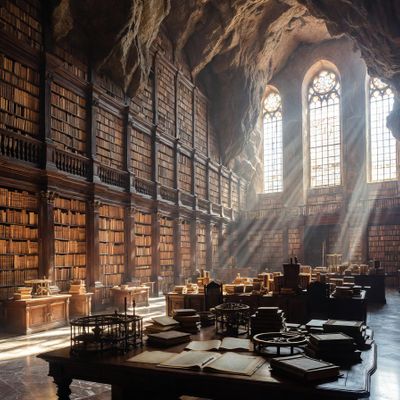
Grok Imagine Image

AI Image Editing Model

$$ · 2¢

An image generation model by xAI designed to generate highly aesthetic images from text descriptions.

2048 x 2048
Max Resolution
Input / Output
Text Image Image
Active

Details

Model ID
grok-imagine-image
Also known as: grok-imagine
Creator
xAI
Family
grok
Max Input Images
0
Tags
image-generation text-to-image image-editing commercial
// Get Started

Ready to integrate?

Access grok-imagine-image via our unified API.

Create Account

Providers & Pricing (2)

Grok Imagine Image is available from 2 providers, with per-image pricing starting at $0.02 through xAI.

xAI
xai/grok-imagine-image
Provider Model ID: grok-imagine-image
$0.0020 /input image
fal.ai
fal/grok-imagine-image
Provider Model ID: xai/grok-imagine-image
$0.0020 /input image

Provider Performance

Fastest generation through xai at 6,959ms median latency with 97.0% success rate.

Aggregated from real API requests over the last 30 days.

Generation Time

xai
6,959ms p95: 8,266ms
fal
9,965ms p95: 66,162ms

Success Rate

xai
97.0%
752 / 775 requests
fal
86.7%
13 / 15 requests

Time to First Byte

xai
6,869ms
p95: 8,160ms
fal
9,964ms
p95: 65,645ms

Provider Rankings

# Provider p50 Gen Time p95 Gen Time Success Rate TTFB (p50)
1 xai 6,959ms 8,266ms 97.0% 6,869ms
2 fal 9,965ms 66,162ms 86.7% 9,964ms
Data updated every 15 minutes. Based on all API requests through Lumenfall over the last 30 days.

grok-imagine API OpenAI-compatible

Integrate Grok Imagine Image into your workflow via the Lumenfall OpenAI-compatible API to programmatically generate high-fidelity images and perform precise image edits. Use a single endpoint to access xAI's image generation technology using standard text-to-image parameters.

Base URL
https://api.lumenfall.ai/openai/v1
Model
grok-imagine-image

Text to Image Generate

Create images from text descriptions

curl -X POST \
  https://api.lumenfall.ai/openai/v1/images/generations \
  -H "Authorization: Bearer $LUMENFALL_API_KEY" \
  -H "Content-Type: application/json" \
  -d '{
    "model": "grok-imagine-image",
    "prompt": "A serene mountain landscape at sunset",
    "size": "1024x1024"
  }'
# Response:
# { "created": 1234567890, "data": [{ "url": "https://...", "revised_prompt": "..." }] }

Image Editing Edit

Transform existing images with text instructions

curl -X POST \
  https://api.lumenfall.ai/openai/v1/images/edits \
  -H "Authorization: Bearer $LUMENFALL_API_KEY" \
  -F "model=grok-imagine-image" \
  -F "[email protected]" \
  -F "prompt=Add a starry night sky to this image" \
  -F "size=1024x1024"
# Response:
# { "created": 1234567890, "data": [{ "url": "https://...", "revised_prompt": "..." }] }

Grok Imagine Image Benchmarks

Grok Imagine Image currently holds an Elo rating of 1227 for text-to-image generation and an Elo of 1200 for image editing. It ranks 11th globally for image editing capabilities and 19th for general image generation performance.

Lumenfall Arena
#11
Image Editing
1201 Elo
Lumenfall Arena
#20
Text-to-Image
1228 Elo

Image Editing Landscape

2 without speed data omitted.

Text-to-Image Landscape

12 without speed data omitted.

Competition Results

Image Editing

Text Rendering

View leaderboard
#1
Modern Clean Menu
19 models
Text-to-Image
Prompt

“Modern minimalist restaurant menu design, white background with colorful food photos in grid, sections for appetizers/pizza/mains, bold sans-serif fonts, vibrant accents, clean professional layout for casual dining.”
Text-to-Image
Prompt

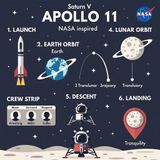
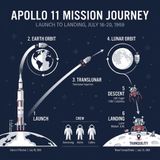
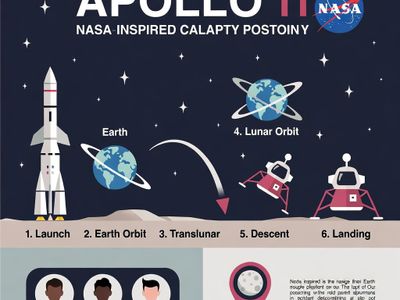
“Create a clean, modern vector infographic poster about the Apollo 11 mission. NASA-inspired palette (navy, white, muted red, light gray). Flat-vector style, crisp lines, consistent iconography, subtle gradients only. Steps (stop at landing): 1. Launch (Saturn Vicon) 2. Earth Orbit (Earth + orbit ring icon) 3. Translunar (trajectory arc icon) 4. Lunar Orbit (Moon + orbit ring icon) 5. Descent (lunar module descending icon) 6. Landing (lunar module on the surface icon) Small supporting elements (minimal text): • Crew strip: three silhouette icons with only last names: Armstrong, Aldrin, Collins. • Landing site marker: Moon pin labeled "Tranquility" only. Layout constraints: generous margins, large readable labels, clean background with subtle stars. Vector-only, print-poster look, high resolution.”

#13
Vintage Cafe Logo
19 models
Text-to-Image
Prompt

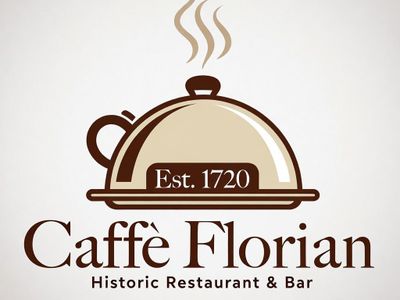
“Vintage minimalist restaurant logo for "Caffè Florian", retro cloche dome with steam and "Est. 1720" banner, classic typography, warm brown and cream tones, subtle texture on light background, vector emblem style.”

Image Editing

Photorealism

View leaderboard
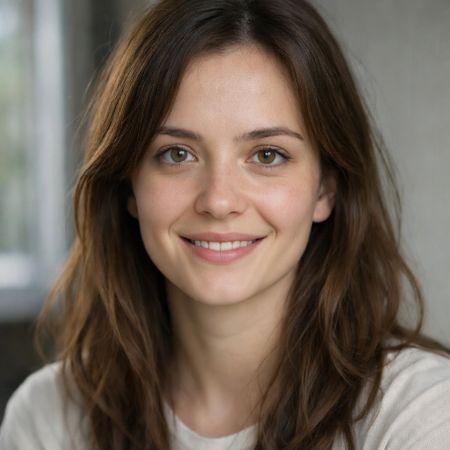
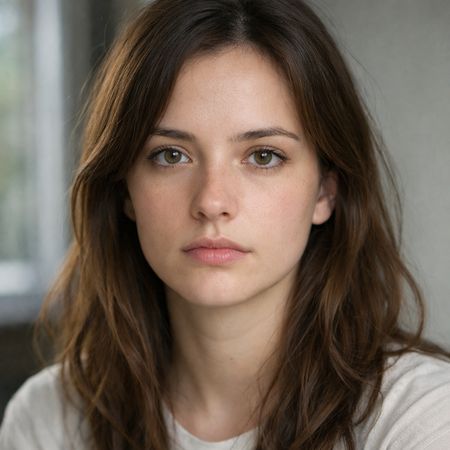
Grok Imagine Image edited result for Neutral Expression to Genuine Smile
Original image before Grok Imagine Image editing
Before After
Image Editing
Edit instruction
{
  "action": "image_edit",
  "reference": "uploaded neutral portrait",
  "change": "Warm genuine Duchenne smile: lips curved up, slight natural teeth, soft eye crinkles, subtle cheek raise",
  "details": "Realistic smiling skin (dimples if present, soft cheek shadows), slightly brighter eyes; keep exact eye shape/color/iris",
  "preserve_exact": "Face identity/structure, eyes/nose/lips/eyebrows, hair, skin texture/pores/freckles, makeup, clothing, head pose, background, lighting, shadows, framing",
  "no_changes": "No face shape change, no new features, no gaze shift, no hair/clothing/lighting/background edits",
  "style": "Ultra-photorealistic 8K portrait, sharp face focus, natural soft lighting, realistic skin glow"
}
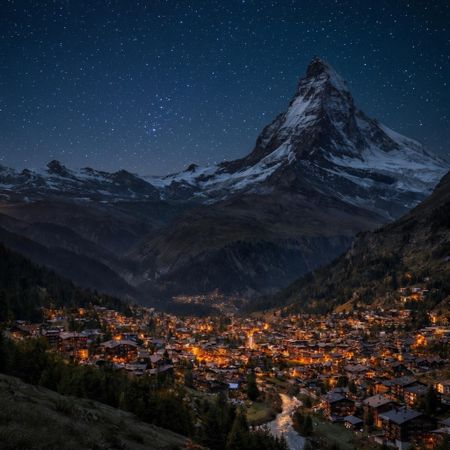
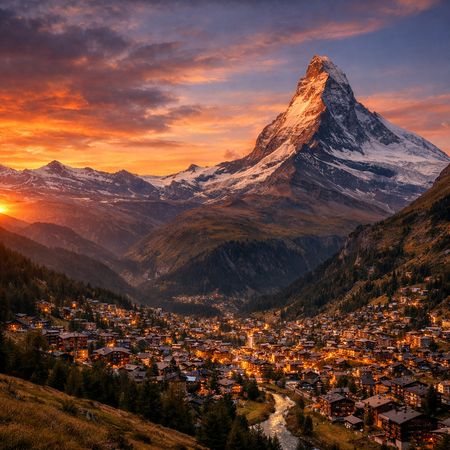
Grok Imagine Image edited result for Night Sky Transformation
Original image before Grok Imagine Image editing
Before After
Image Editing
Edit instruction

“Change the scene to night: a deep, dark sky with subtle, glistening stars visible behind the mountain.”

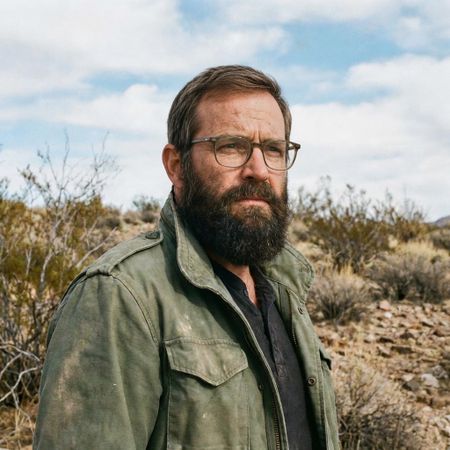
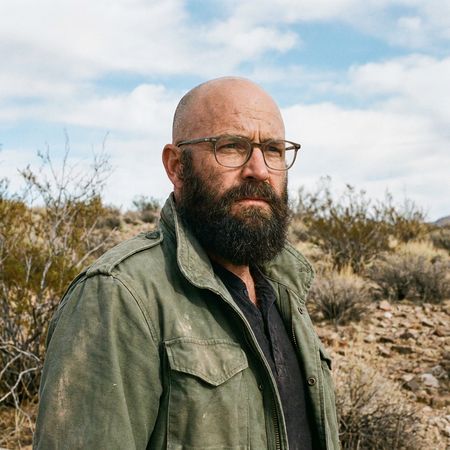
Grok Imagine Image edited result for Bald man challenge
Original image before Grok Imagine Image editing
Before After
#5
Bald man challenge
14 models
Image Editing
Edit instruction

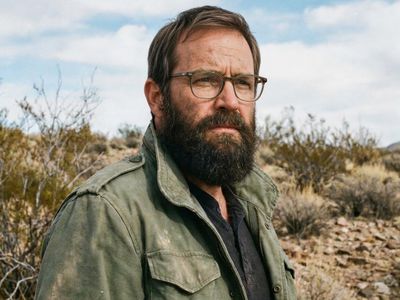
“Give the person a full, thick head of natural hair with realistic texture, density, and a natural hairline. Preserve facial features and lighting.”

Image Editing
Source
Edit instruction

“Make a photo of the man driving the car down the California coastline”

Text-to-Image
Prompt

“A candid street photo of an elderly Japanese man repairing a red bicycle in light rain, reflections on wet pavement, shallow depth of field, 50mm lens, natural skin texture, imperfect framing, motion blur from passing cars, cinematic but realistic, no stylization.”

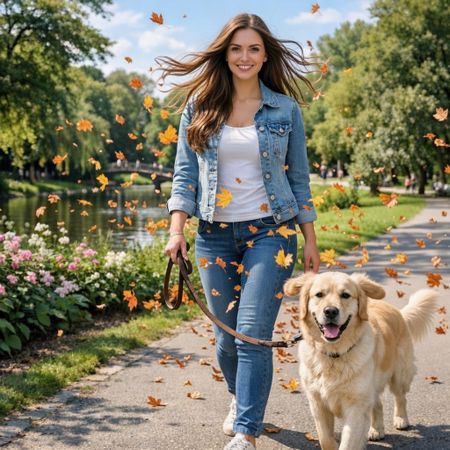
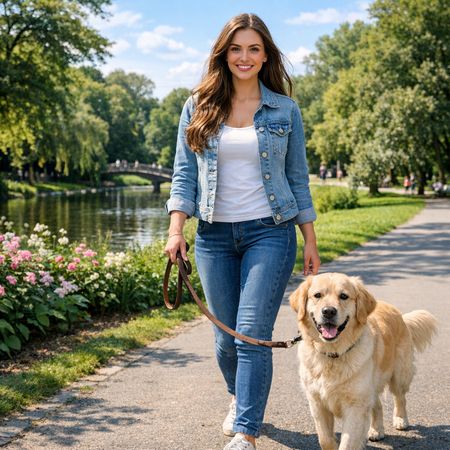
#8
Golden Hour Stroll
12 models
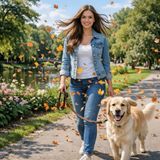
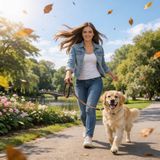
Image Editing
Source
Edit instruction

“Add dynamic motion to this photo: make hair blow in the wind, add leaves flying, energetic and lively feel.”

Image Editing

Anime

View leaderboard
Image Editing
Source
Edit instruction

“Transform this photo into a Studio Ghibli–inspired illustration. Use soft pastel colors, hand-painted textures, gentle lighting, dreamy backgrounds, and a warm, nostalgic mood”

Image Editing

Portrait

View leaderboard
Grok Imagine Image edited result for Neutral Expression to Genuine Smile
Original image before Grok Imagine Image editing
Before After
Image Editing
Edit instruction
{
  "action": "image_edit",
  "reference": "uploaded neutral portrait",
  "change": "Warm genuine Duchenne smile: lips curved up, slight natural teeth, soft eye crinkles, subtle cheek raise",
  "details": "Realistic smiling skin (dimples if present, soft cheek shadows), slightly brighter eyes; keep exact eye shape/color/iris",
  "preserve_exact": "Face identity/structure, eyes/nose/lips/eyebrows, hair, skin texture/pores/freckles, makeup, clothing, head pose, background, lighting, shadows, framing",
  "no_changes": "No face shape change, no new features, no gaze shift, no hair/clothing/lighting/background edits",
  "style": "Ultra-photorealistic 8K portrait, sharp face focus, natural soft lighting, realistic skin glow"
}
Grok Imagine Image edited result for Bald man challenge
Original image before Grok Imagine Image editing
Before After
#5
Bald man challenge
14 models
Image Editing
Edit instruction

“Give the person a full, thick head of natural hair with realistic texture, density, and a natural hairline. Preserve facial features and lighting.”

#14
Fantasy Warrior
19 models
Text-to-Image
Prompt

“Close portrait of a battle-worn paladin in ornate engraved plate armor, hair braided with small beads, faint scars and dirt on the skin, warm torchlight reflecting off metal, shallow depth of field, bokeh sparks, lifelike eyes, highly detailed texture on leather straps and cloth underlayer.”

Image Editing

Product, Branding & Commercial

View leaderboard
#13
Vintage Cafe Logo
19 models
Text-to-Image
Prompt

“Vintage minimalist restaurant logo for "Caffè Florian", retro cloche dome with steam and "Est. 1720" banner, classic typography, warm brown and cream tones, subtle texture on light background, vector emblem style.”

Text-to-Image
Prompt

“Perfectly symmetrical mandala made entirely of real flowers, petals, leaves, fruits, and seeds in vibrant natural colors, intricate layered patterns with radial symmetry, top-down view on a soft neutral background, hyper-detailed organic textures and subtle shadows, photorealistic, 8K masterpiece.”

Image Editing
Source
Edit instruction

“Create a caricature of me and my job. Make it exaggerated and humorous, incorporating my profession as a tv show anchor and my love for dogs and hockey.”

#16
Geometric Composition
22 models
Text-to-Image
Prompt

“A glass cube on a wooden table. Inside the cube is a small blue sphere. On top of the cube sits a red book. A green plant is behind the cube, partially visible through the glass. Soft window light from the left.”

Text-to-Image
Prompt

“Create a clear, 45° top-down isometric miniature 3D cartoon scene of Japan's signature dish: sushi, with soft refined textures, realistic PBR materials, gentle lighting, on a small raised diorama base with minimal garnish and plate. Solid light blue background. At top-center: 'JAPAN' in large bold text, 'SUSHI' below it, small flag icon. Perfectly centered, ultra-clean, high-clarity, square format.”

Text-to-Image
Prompt

“Hyper-photorealistic full-body portrait of a female superhero standing triumphantly on a New York skyscraper rooftop at golden sunset, wearing a classic modest superhero costume with flowing cape, chest emblem, gloves, and boots in red and blue colors, practical design, short hair, strong determined heroic expression looking into the distance, powerful confident stance with hands on hips and cape billowing dramatically in the wind, detailed urban cityscape background, warm natural sunlight with sharp shadows and fabric highlights, ultra-sharp textures on suit, hair, and concrete, 8K masterpiece, empowering family-friendly style.”

Text-to-Image
Prompt

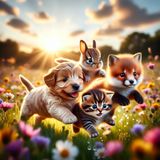
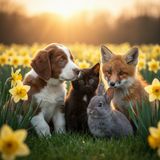
“Hyper-photorealistic scene of fluffy baby animals—a golden retriever puppy, tabby kitten, baby bunny, and red fox kit—with big expressive eyes and ultra-detailed soft fur, playfully chasing butterflies and tumbling together in a lush wildflower meadow, warm golden sunrise light with god rays and dew sparkles, joyful wholesome vibe, 8K masterpiece.”

Text-to-Image
Prompt

“Hyper-photorealistic interior of a lush Victorian glass greenhouse filled with exotic tropical plants, vibrant blooming orchids, tall ferns, colorful butterflies in flight, sunlight filtering through ornate glass roof creating realistic caustics and dew on leaves, intricate iron framework visible, misty atmosphere, 8K masterpiece.”

Help rank Grok Imagine Image Pick the better image in blind matchups. Results update rankings in real time.
Start Voting

Grok Imagine Image is best for

See all Use Cases

The model performs strongest in digital portraiture and text rendering, securing a 56.4% win rate in portraits and ranking 7th for text accuracy. Performance is more limited in anime and commercial branding categories, where win rates sit between 32% and 37.5%.

Grok Imagine Image FAQ

How much does Grok Imagine Image cost?

Grok Imagine Image starts at $0.02 per image through Lumenfall. Pricing varies by provider. Lumenfall does not add any markup to provider pricing.

How do I use Grok Imagine Image via API?

You can use Grok Imagine Image through Lumenfall's OpenAI-compatible API. Send requests to the unified endpoint with model ID "grok-imagine-image". Code examples are available in Python, JavaScript, and cURL.

Which providers offer Grok Imagine Image?

Grok Imagine Image is available through xAI and fal.ai on Lumenfall. Lumenfall automatically routes requests to the best available provider.

What is the maximum resolution for Grok Imagine Image?

Grok Imagine Image supports images up to 2048x2048 resolution.

Overview

Grok Imagine Image is a high-fidelity text-to-image generation model developed by xAI. It is engineered to transform complex natural language prompts into visually striking, aesthetic imagery with a particular focus on realism and detailed composition. The model is distinctive for its adherence to user intent and its ability to render high-resolution outputs suitable for both creative exploration and commercial applications.

Strengths

  • Aesthetic Consistency: The model is tuned to prioritize visually appealing compositions, lighting, and textures, reducing the need for extensive “prompt engineering” to achieve professional-looking results.
  • Human Anatomy and Text Rendering: It demonstrates improved accuracy in rendering human features—such as hands and eyes—and can incorporate legible, coherent text within generated images more reliably than many first-generation diffusion models.
  • Prompt Adherence: The model excels at interpreting multi-layered instructions, accurately placing specific objects and following spatial relationships defined in the text description.
  • Processing Speed: Optimized for rapid inference, the model generates high-resolution images quickly, making it suitable for iterative design workflows.

Limitations

  • Style Bias: Because the model is optimized for “highly aesthetic” outputs, it may default to a polished or cinematic look even when a more raw or lo-fi aesthetic is requested.
  • Niche Concept Gaps: While strong on general concepts, the model may occasionally struggle with highly technical or obscure domain-specific imagery where training data density is lower.
  • Image Editing Constraints: While capable of image-to-image tasks, it may lack the granular “in-painting” controls found in specialized tools dedicated solely to localized image manipulation.

Technical Background

Grok Imagine Image is built upon a concentrated diffusion architecture designed by xAI, leveraging massive datasets to bridge the gap between semantic understanding and visual synthesis. Its training approach emphasizes “alignment” between the latent visual space and conversational language patterns, allowing it to understand prompts that are phrased naturally rather than as a string of keywords.

Best For

This model is ideal for creating marketing collateral, concept art, and high-quality social media assets where visual impact is the primary goal. It is also well-suited for rapid prototyping in UI/UX design and architectural visualization. Grok Imagine Image is available through Lumenfall’s unified API and playground, allowing developers to integrate high-end image generation into their applications with minimal overhead.

Try Grok Imagine Image in Playground

Generate images with custom prompts — no API key needed.

Open Playground