Image Editing
Source
Edit instruction
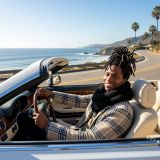
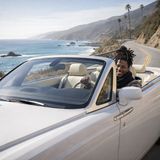
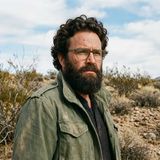
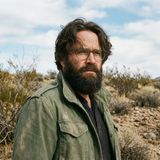
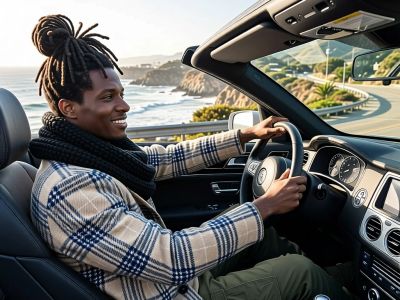
“Make a photo of the man driving the car down the California coastline”
Alibaba's Qwen image editing model for instruction-based image modifications and transformations
Example outputs coming soon
qwen-image-edit-2511
Starting from
Prices shown are in USD · Some prices estimated from per-megapixel or per-token pricing
See all providersFastest generation through replicate at 5,659ms median latency with 94.5% success rate.
Aggregated from real API requests over the last 30 days.
| # | Provider | p50 Gen Time | p95 Gen Time | Success Rate | TTFB (p50) |
|---|---|---|---|---|---|
| 1 | replicate | 5,659ms | 16,628ms | 94.5% | 4,757ms |
Qwen Image Edit 2511 is available from 2 providers, with per-image pricing starting at $0.03 through fal.ai.
fal/qwen-image-edit-2511
replicate/qwen-image-edit-2511
Integrate Qwen Image Edit 2511 through the Lumenfall API to perform instruction-based image editing and text-to-image generation using a single OpenAI-compatible endpoint. This interface allows developers to programmatically modify existing visual assets or create new high-fidelity images via standard HTTPS requests.
https://api.lumenfall.ai/openai/v1
qwen-image-edit-2511
curl -X POST \ https://api.lumenfall.ai/openai/v1/images/edits \ -H "Authorization: Bearer $LUMENFALL_API_KEY" \ -F "model=qwen-image-edit-2511" \ -F "[email protected]" \ -F "prompt=Add a starry night sky to this image" \ -F "size=1024x1024"# Response:# { "created": 1234567890, "data": [{ "url": "https://...", "revised_prompt": "..." }] }import OpenAI from 'openai';import fs from 'fs';const client = new OpenAI({ apiKey: 'YOUR_API_KEY', baseURL: 'https://api.lumenfall.ai/openai/v1'});const response = await client.images.edit({ model: 'qwen-image-edit-2511', image: fs.createReadStream('source.png'), prompt: 'Add a starry night sky to this image', size: '1024x1024'});// { created: 1234567890, data: [{ url: "https://...", revised_prompt: "..." }] }console.log(response.data[0].url);from openai import OpenAIclient = OpenAI( api_key="YOUR_API_KEY", base_url="https://api.lumenfall.ai/openai/v1")response = client.images.edit( model="qwen-image-edit-2511", image=open("source.png", "rb"), prompt="Add a starry night sky to this image", size="1024x1024")# { created: 1234567890, data: [{ url: "https://...", revised_prompt: "..." }] }print(response.data[0].url)| Parameter | Type | Description | Modes |
|---|---|---|---|
prompt
|
string | Required. Edit instruction for the image |
Edit
|
negative_prompt
|
string | Negative prompt to guide generation away from undesired content |
Edit
|
seed
|
integer | Random seed for reproducibility |
Edit
|
| Parameter | Type | Description | Modes |
|---|---|---|---|
size
|
string |
Image dimensions as WxH pixels (e.g. "1024x1024") or aspect ratio (e.g. "16:9")
auto
1365x768
768x1365
887x1182
1024x1024
1183x887
WxH determines both shape and scale (aspect_ratio and resolution are ignored when size is provided). W:H format is equivalent to aspect_ratio.
|
Edit
|
aspect_ratio
|
string |
Aspect ratio of the output image (e.g. "16:9", "1:1")
auto
9:16
3:4
1:1
4:3
16:9
Controls shape independently of scale. Use with resolution to control both. If size is also provided, size takes precedence. Any ratio is accepted and mapped to the nearest supported value.
|
Edit
|
resolution
|
string |
Output resolution tier (e.g. "1K", "4K")
auto
1K
Controls scale independently of shape. Higher tiers produce larger images and cost more. If size is also provided, size takes precedence for scale. Any tier is accepted and mapped to the nearest supported value.
|
Edit
|
| Output |
size
|
aspect_ratio
+
resolution
|
|
|---|---|---|---|
| Flexible | |||
| Auto | "auto" |
— | Model chooses optimal dimensions |
|
Custom
1–14142px per side
|
"WxH" |
— | Any pixel dimensions within model constraints |
| Output |
size
|
aspect_ratio
+
resolution
|
|
|---|---|---|---|
| 1183 × 887 | "1183x887" |
or |
"4:3"
+
"1K"
|
| 1024 × 1024 | "1024x1024" |
or |
"1:1"
+
"1K"
|
| 887 × 1182 | "887x1182" |
or |
"3:4"
+
"1K"
|
| 768 × 1365 | "768x1365" |
or |
"9:16"
+
"1K"
|
| 1365 × 768 | "1365x768" |
or |
"16:9"
+
"1K"
|
size
Exact pixel dimensions
"1920x1080"
aspect_ratio
Shape only, default scale
"16:9"
resolution
Scale tier, preserves shape
"1K"
size is most specific and always wins. aspect_ratio and resolution control shape and scale independently.
7:1 on a model with
4:1 and 8:1,
you get 8:1.
0.5K 1K 2K 4K)
or megapixel tiers (0.25 1).
If the exact tier isn't available, you get the nearest one.
| Parameter | Type | Description | Modes |
|---|---|---|---|
image
|
file |
Required.
Input image(s) to edit
Supports PNG, JPEG, WebP.
|
Edit
|
| Parameter | Type | Description | Modes |
|---|---|---|---|
response_format
|
string |
How to return the image
url
b64_json
Default:
"url" |
Edit
|
output_format
|
string |
Output image format
png
jpeg
gif
webp
avif
Gateway converts to requested format if provider doesn't support it natively.
|
Edit
|
output_compression
|
integer | Compression level for lossy formats (JPEG, WebP, AVIF) |
Edit
|
n
|
integer |
Number of images to generate
Default:
1Gateway generates multiple images in parallel even if provider only supports 1.
|
Edit
|
Provider-specific passthrough fields, available only when the request is routed to the listed provider.
| Parameter | Type | Description | Modes |
|---|---|---|---|
|
Universal
|
|||
cfg_scale
|
number | Classifier-free guidance scale — higher values stick more closely to the prompt |
Edit
|
|
fal
|
|||
acceleration
|
string |
The acceleration level to use.
high
none
regular
|
Edit
|
enable_safety_checker
|
boolean | If set to true, the safety checker will be enabled. |
Edit
|
num_inference_steps
|
integer | The number of inference steps to perform. |
Edit
|
sync_mode
|
boolean | If `True`, the media will be returned as a data URI. |
Edit
|
|
replicate
|
|||
disable_safety_checker
|
boolean | Disable safety checker for generated images. |
Edit
|
go_fast
|
boolean | Run faster predictions with additional optimizations. |
Edit
|
output_quality
|
integer | Quality when saving the output images, from 0 to 100. 100 is best quality, 0 is lowest quality. Not relevant for .png outputs. |
Edit
|
How we handle parameters across different providers
Not every provider speaks the same language. When you send a parameter, we handle it in one of four ways depending on what the model supports:
| Behavior | What happens | Example |
|---|---|---|
passthrough |
Sent as-is to the provider | style, quality |
renamed |
Same value, mapped to the field name the provider expects | prompt |
converted |
Transformed to the provider's native format | size |
emulated |
Works even if the provider has no concept of it | n, response_format |
Parameters we don't recognize pass straight through to the upstream API, so provider-specific options still work.
Qwen Image Edit 2511 currently holds the #2 rank in the Image Editing arena with an Elo rating of 1230. This position makes it one of the top-performing models globally for instruction-based image modifications and transformations.
1 model without pricing omitted.
20 models waiting for enough speed data.
“Make a photo of the man driving the car down the California coastline”
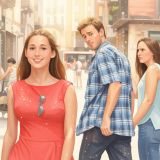
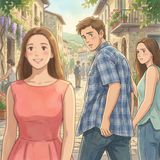
“Transform this photo into a Studio Ghibli–inspired illustration. Use soft pastel colors, hand-painted textures, gentle lighting, dreamy backgrounds, and a warm, nostalgic mood”
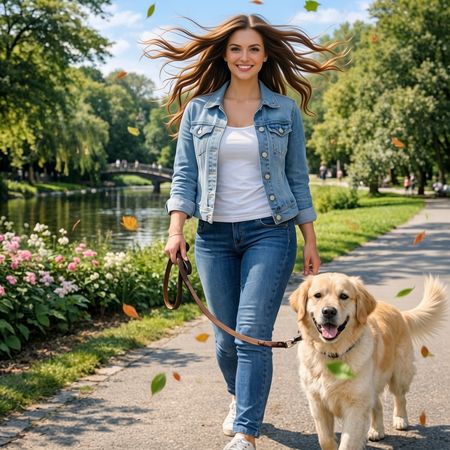
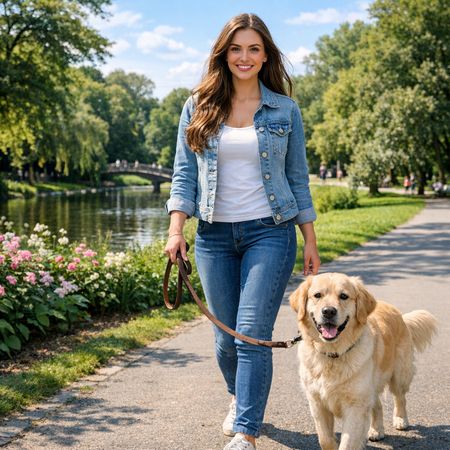
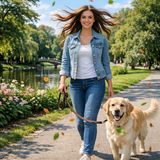
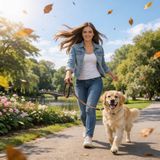
“Add dynamic motion to this photo: make hair blow in the wind, add leaves flying, energetic and lively feel.”
“Transform this photo into a Studio Ghibli–inspired illustration. Use soft pastel colors, hand-painted textures, gentle lighting, dreamy backgrounds, and a warm, nostalgic mood”
“Make a photo of the man driving the car down the California coastline”
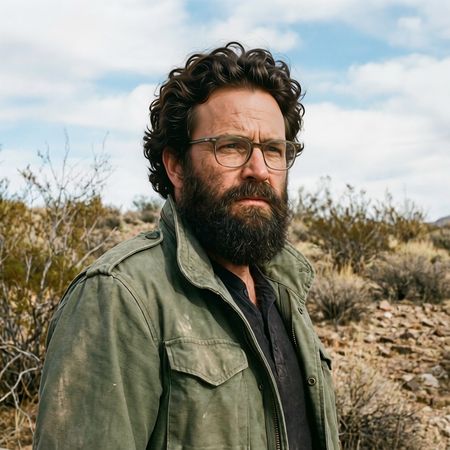
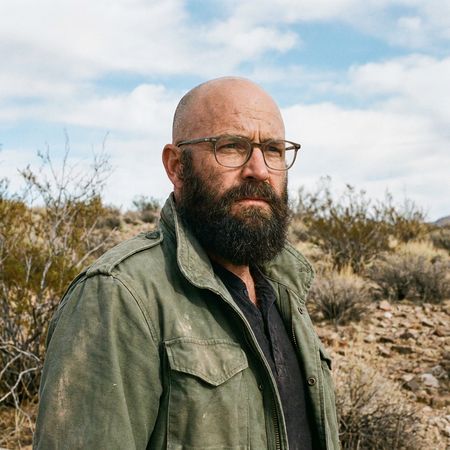
“Give the person a full, thick head of natural hair with realistic texture, density, and a natural hairline. Preserve facial features and lighting.”
“Add dynamic motion to this photo: make hair blow in the wind, add leaves flying, energetic and lively feel.”
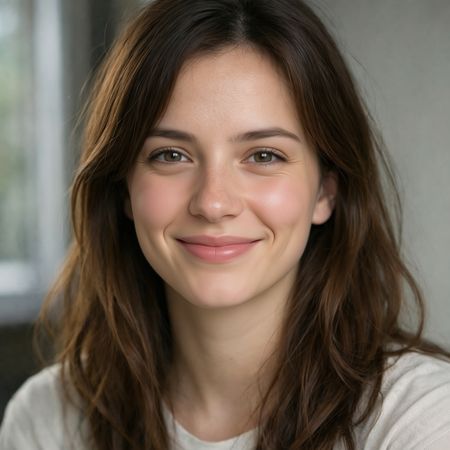
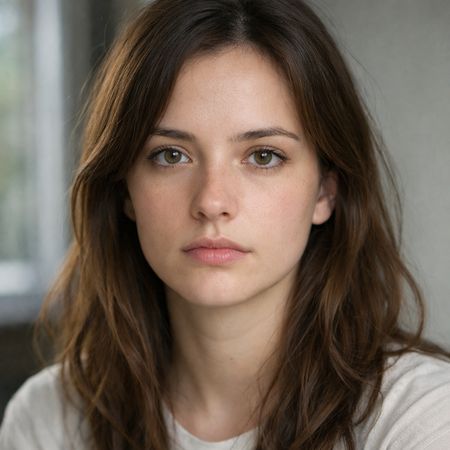
{
  "action": "image_edit",
  "reference": "uploaded neutral portrait",
  "change": "Warm genuine Duchenne smile: lips curved up, slight natural teeth, soft eye crinkles, subtle cheek raise",
  "details": "Realistic smiling skin (dimples if present, soft cheek shadows), slightly brighter eyes; keep exact eye shape/color/iris",
  "preserve_exact": "Face identity/structure, eyes/nose/lips/eyebrows, hair, skin texture/pores/freckles, makeup, clothing, head pose, background, lighting, shadows, framing",
  "no_changes": "No face shape change, no new features, no gaze shift, no hair/clothing/lighting/background edits",
  "style": "Ultra-photorealistic 8K portrait, sharp face focus, natural soft lighting, realistic skin glow"
}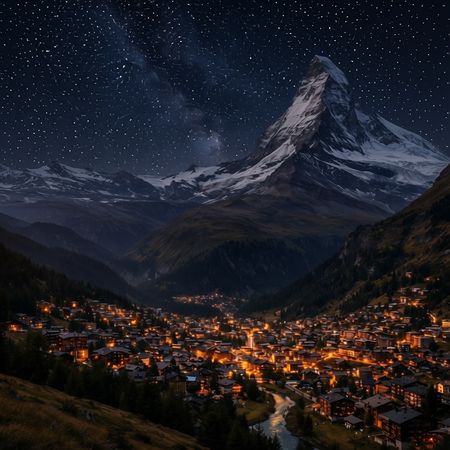
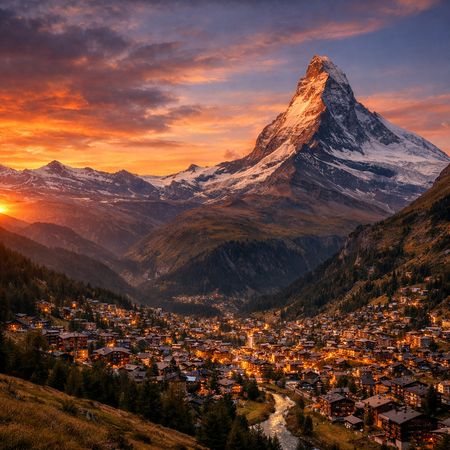
“Change the scene to night: a deep, dark sky with subtle, glistening stars visible behind the mountain.”
“Make a photo of the man driving the car down the California coastline”
“Give the person a full, thick head of natural hair with realistic texture, density, and a natural hairline. Preserve facial features and lighting.”
“Transform this photo into a Studio Ghibli–inspired illustration. Use soft pastel colors, hand-painted textures, gentle lighting, dreamy backgrounds, and a warm, nostalgic mood”
“Add dynamic motion to this photo: make hair blow in the wind, add leaves flying, energetic and lively feel.”
{
  "action": "image_edit",
  "reference": "uploaded neutral portrait",
  "change": "Warm genuine Duchenne smile: lips curved up, slight natural teeth, soft eye crinkles, subtle cheek raise",
  "details": "Realistic smiling skin (dimples if present, soft cheek shadows), slightly brighter eyes; keep exact eye shape/color/iris",
  "preserve_exact": "Face identity/structure, eyes/nose/lips/eyebrows, hair, skin texture/pores/freckles, makeup, clothing, head pose, background, lighting, shadows, framing",
  "no_changes": "No face shape change, no new features, no gaze shift, no hair/clothing/lighting/background edits",
  "style": "Ultra-photorealistic 8K portrait, sharp face focus, natural soft lighting, realistic skin glow"
}“Make a photo of the man driving the car down the California coastline”
“Make a photo of the man driving the car down the California coastline”
“Change the scene to night: a deep, dark sky with subtle, glistening stars visible behind the mountain.”
“Make a photo of the man driving the car down the California coastline”
“Give the person a full, thick head of natural hair with realistic texture, density, and a natural hairline. Preserve facial features and lighting.”
“Add dynamic motion to this photo: make hair blow in the wind, add leaves flying, energetic and lively feel.”
“Change the scene to night: a deep, dark sky with subtle, glistening stars visible behind the mountain.”
“Give the person a full, thick head of natural hair with realistic texture, density, and a natural hairline. Preserve facial features and lighting.”
{
  "action": "image_edit",
  "reference": "uploaded neutral portrait",
  "change": "Warm genuine Duchenne smile: lips curved up, slight natural teeth, soft eye crinkles, subtle cheek raise",
  "details": "Realistic smiling skin (dimples if present, soft cheek shadows), slightly brighter eyes; keep exact eye shape/color/iris",
  "preserve_exact": "Face identity/structure, eyes/nose/lips/eyebrows, hair, skin texture/pores/freckles, makeup, clothing, head pose, background, lighting, shadows, framing",
  "no_changes": "No face shape change, no new features, no gaze shift, no hair/clothing/lighting/background edits",
  "style": "Ultra-photorealistic 8K portrait, sharp face focus, natural soft lighting, realistic skin glow"
}“Add dynamic motion to this photo: make hair blow in the wind, add leaves flying, energetic and lively feel.”
“Transform this photo into a Studio Ghibli–inspired illustration. Use soft pastel colors, hand-painted textures, gentle lighting, dreamy backgrounds, and a warm, nostalgic mood”
See how Qwen Image Edit 2511 performs head-to-head against other AI models, ranked by community votes in blind comparisons.
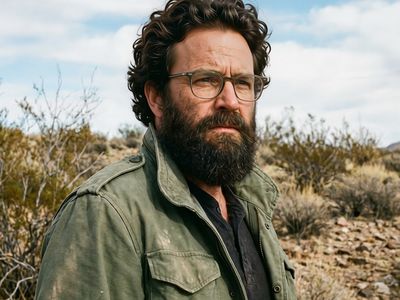
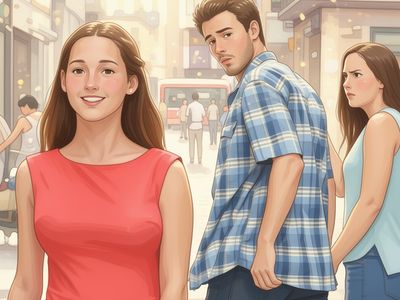
The model demonstrates significant strength in Photorealism, ranking #5 out of 16 models with a 56.4% win rate when generating lifelike visual assets. It excels at complex image editing tasks where precise adherence to natural language instructions is required.
Qwen Image Edit 2511 starts at $0.03 per image through Lumenfall. Pricing varies by provider. Lumenfall does not add any markup to provider pricing.
You can use Qwen Image Edit 2511 through Lumenfall's OpenAI-compatible API. Send requests to the unified endpoint with model ID "qwen-image-edit-2511". Code examples are available in Python, JavaScript, and cURL.
Qwen Image Edit 2511 is available through Replicate and fal.ai on Lumenfall. Lumenfall automatically routes requests to the best available provider.
Qwen Image Edit 2511 is a specialized vision-language model developed by Alibaba designed for instruction-based image modification. Unlike standard text-to-image models that generate images from scratch, this model takes an existing image and a natural language prompt as input to perform precise transformations. It is distinctive for its ability to follow complex editing instructions while maintaining the spatial consistency and identity of the original subject.
Qwen Image Edit 2511 belongs to the broader Qwen family of models, leveraging a multi-modal architecture that bridges visual encoders with a generative backbone. It is trained on large-scale datasets of paired images (before and after) and their corresponding textual descriptions to learn the relationship between linguistic instructions and visual deltas. This approach allows the model to treat image editing as a conditional generation task, focusing on the residuals between the source and target states.
This model is ideal for creative asset iteration, rapid prototyping of social media content, and product visualization where specific attributes must be toggled (e.g., changing background environments or colors). It is also well-suited for developers building photo editing tools that require a natural language interface.
Qwen Image Edit 2511 is available for integration and testing through Lumenfall’s unified API and playground, allowing you to benchmark its editing precision against other generative vision models in your workflow.
Generate images with custom prompts — no API key needed.