Image Editing
Source
Edit instruction
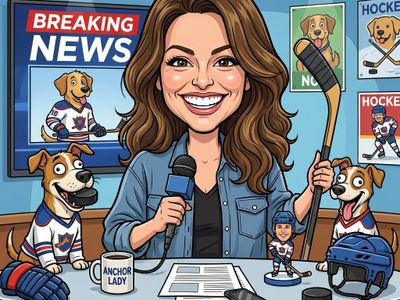
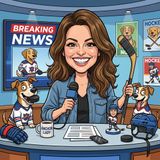
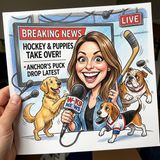
“Create a caricature of me and my job. Make it exaggerated and humorous, incorporating my profession as a tv show anchor and my love for dogs and hockey.”
AI Image Editing Model
Gemini 3 Pro with image generation capabilities. Combines advanced reasoning with the ability to generate and edit images.
gemini-3-pro-image-preview
Access gemini-3-pro-image-preview via our unified API.
Starting from
Batch from $0.067/image via Gemini API, Vertex AI
Popular formats
Prices shown are in USD · Some prices estimated from per-megapixel or per-token pricing
See all providersFastest generation through gemini at 22,678ms median latency with 97.2% success rate.
Aggregated from real API requests over the last 30 days.
| # | Provider | p50 Gen Time | p95 Gen Time | Success Rate | TTFB (p50) |
|---|---|---|---|---|---|
| 1 | gemini | 22,678ms | 42,104ms | 97.2% | 21,211ms |
| 2 | fal | 25,391ms | 46,075ms | 100.0% | 23,837ms |
Nano Banana Pro is available from 4 providers, with per-image pricing starting at $0.067 through fal.ai.
fal/gemini-3-pro-image-preview-edit
replicate/gemini-3-pro-image-preview
gemini/gemini-3-pro-image-preview
vertex/gemini-3-pro-image-preview
Access Nano Banana Pro via Lumenfall’s OpenAI-compatible API to integrate advanced text-to-image generation and complex image editing capabilities into any application.
https://api.lumenfall.ai/openai/v1
gemini-3-pro-image-preview
curl -X POST \ https://api.lumenfall.ai/openai/v1/images/edits \ -H "Authorization: Bearer $LUMENFALL_API_KEY" \ -F "model=gemini-3-pro-image-preview" \ -F "[email protected]" \ -F "prompt=Add a starry night sky to this image" \ -F "size=1024x1024"# Response:# { "created": 1234567890, "data": [{ "url": "https://...", "revised_prompt": "..." }] }import OpenAI from 'openai';import fs from 'fs';const client = new OpenAI({ apiKey: 'YOUR_API_KEY', baseURL: 'https://api.lumenfall.ai/openai/v1'});const response = await client.images.edit({ model: 'gemini-3-pro-image-preview', image: fs.createReadStream('source.png'), prompt: 'Add a starry night sky to this image', size: '1024x1024'});// { created: 1234567890, data: [{ url: "https://...", revised_prompt: "..." }] }console.log(response.data[0].url);from openai import OpenAIclient = OpenAI( api_key="YOUR_API_KEY", base_url="https://api.lumenfall.ai/openai/v1")response = client.images.edit( model="gemini-3-pro-image-preview", image=open("source.png", "rb"), prompt="Add a starry night sky to this image", size="1024x1024")# { created: 1234567890, data: [{ url: "https://...", revised_prompt: "..." }] }print(response.data[0].url)| Parameter | Type | Description | Modes |
|---|---|---|---|
prompt
|
string | Required. Text prompt for image generation |
T2I
Edit
|
seed
|
integer | Random seed for reproducibility |
T2I
Edit
|
| Parameter | Type | Description | Modes |
|---|---|---|---|
size
|
string |
Image dimensions as WxH pixels (e.g. "1024x1024") or aspect ratio (e.g. "16:9")
WxH determines both shape and scale (aspect_ratio and resolution are ignored when size is provided). W:H format is equivalent to aspect_ratio.
|
T2I
Edit
|
aspect_ratio
|
string |
Aspect ratio of the output image (e.g. "16:9", "1:1")
Controls shape independently of scale. Use with resolution to control both. If size is also provided, size takes precedence. Any ratio is accepted and mapped to the nearest supported value.
|
T2I
Edit
|
resolution
|
string |
Output resolution tier (e.g. "1K", "4K")
auto
1K
2K
4K
Controls scale independently of shape. Higher tiers produce larger images and cost more. If size is also provided, size takes precedence for scale. Any tier is accepted and mapped to the nearest supported value.
|
T2I
Edit
|
| Output |
size
|
aspect_ratio
+
resolution
|
|
|---|---|---|---|
| Flexible | |||
| Auto | "auto" |
— | Model chooses optimal dimensions |
| Output |
size
|
aspect_ratio
+
resolution
|
|
|---|---|---|---|
| 1183 × 887 | "1183x887" |
or |
"4:3"
+
"1K"
|
| 916 × 1145 | "916x1145" |
or |
"4:5"
+
"1K"
|
| 1145 × 916 | "1145x916" |
or |
"5:4"
+
"1K"
|
| 1024 × 1024 | "1024x1024" |
or |
"1:1"
+
"1K"
|
| 887 × 1182 | "887x1182" |
or |
"3:4"
+
"1K"
|
| 836 × 1254 | "836x1254" |
or |
"2:3"
+
"1K"
|
| 1254 × 836 | "1254x836" |
or |
"3:2"
+
"1K"
|
| 768 × 1365 | "768x1365" |
or |
"9:16"
+
"1K"
|
| 1365 × 768 | "1365x768" |
or |
"16:9"
+
"1K"
|
| 1563 × 670 | "1563x670" |
or |
"21:9"
+
"1K"
|
| Output |
size
|
aspect_ratio
+
resolution
|
|
|---|---|---|---|
| 3129 × 1341 | "3129x1341" |
or |
"21:9"
+
"2K"
|
| 1774 × 2365 | "1774x2365" |
or |
"3:4"
+
"2K"
|
| 2365 × 1774 | "2365x1774" |
or |
"4:3"
+
"2K"
|
| 1832 × 2290 | "1832x2290" |
or |
"4:5"
+
"2K"
|
| 2290 × 1832 | "2290x1832" |
or |
"5:4"
+
"2K"
|
| 1536 × 2731 | "1536x2731" |
or |
"9:16"
+
"2K"
|
| 2731 × 1536 | "2731x1536" |
or |
"16:9"
+
"2K"
|
| 2048 × 2048 | "2048x2048" |
or |
"1:1"
+
"2K"
|
| 1672 × 2508 | "1672x2508" |
or |
"2:3"
+
"2K"
|
| 2508 × 1672 | "2508x1672" |
or |
"3:2"
+
"2K"
|
| Output |
size
|
aspect_ratio
+
resolution
|
|
|---|---|---|---|
| 3548 × 4730 | "3548x4730" |
or |
"3:4"
+
"4K"
|
| 3345 × 5017 | "3345x5017" |
or |
"2:3"
+
"4K"
|
| 4580 × 3664 | "4580x3664" |
or |
"5:4"
+
"4K"
|
| 4096 × 4096 | "4096x4096" |
or |
"1:1"
+
"4K"
|
| 3072 × 5461 | "3072x5461" |
or |
"9:16"
+
"4K"
|
| 5461 × 3072 | "5461x3072" |
or |
"16:9"
+
"4K"
|
| 4729 × 3547 | "4729x3547" |
or |
"4:3"
+
"4K"
|
| 5016 × 3344 | "5016x3344" |
or |
"3:2"
+
"4K"
|
| 3663 × 4579 | "3663x4579" |
or |
"4:5"
+
"4K"
|
| 6256 × 2681 | "6256x2681" |
or |
"21:9"
+
"4K"
|
size
Exact pixel dimensions
"1920x1080"
aspect_ratio
Shape only, default scale
"16:9"
resolution
Scale tier, preserves shape
"1K"
size is most specific and always wins. aspect_ratio and resolution control shape and scale independently.
7:1 on a model with
4:1 and 8:1,
you get 8:1.
0.5K 1K 2K 4K)
or megapixel tiers (0.25 1).
If the exact tier isn't available, you get the nearest one.
| Parameter | Type | Description | Modes |
|---|---|---|---|
image
|
file |
Required.
Input image(s) to edit
Supports PNG, JPEG, WebP.
Up to 900 images per request.
|
T2I
Edit
|
| Parameter | Type | Description | Modes |
|---|---|---|---|
response_format
|
string |
How to return the image
url
b64_json
Default:
"url" |
T2I
Edit
|
output_format
|
string |
Output image format
png
jpeg
gif
webp
avif
Gateway converts to requested format if provider doesn't support it natively.
|
T2I
Edit
|
output_compression
|
integer | Compression level for lossy formats (JPEG, WebP, AVIF) |
T2I
Edit
|
n
|
integer |
Number of images to generate
Default:
1Gateway generates multiple images in parallel even if provider only supports 1.
|
T2I
Edit
|
Provider-specific passthrough fields, available only when the request is routed to the listed provider.
| Parameter | Type | Description | Modes |
|---|---|---|---|
|
fal
|
|||
enable_web_search
|
boolean | Enable web search for the image generation task. This will allow the model to use the latest information from the web to generate the image. |
T2I
Edit
|
limit_generations
|
boolean | Experimental parameter to limit the number of generations from each round of prompting to 1. Set to `True` to to disregard any instructions in the prompt regarding the number of images to generate. |
T2I
Edit
|
safety_tolerance
|
string |
The safety tolerance level for content moderation. 1 is the most strict (blocks most content), 6 is the least strict.
1
2
3
4
5
6
|
T2I
Edit
|
sync_mode
|
boolean | If `True`, the media will be returned as a data URI and the output data won't be available in the request history. |
T2I
Edit
|
|
replicate
|
|||
allow_fallback_model
|
boolean | Fallback to another model (currently bytedance/seedream-5) if Nano Banana Pro is at capacity. |
T2I
Edit
|
safety_filter_level
|
string |
block_low_and_above is strictest, block_medium_and_above blocks some prompts, block_only_high is most permissive but some prompts will still be blocked
block_low_and_above
block_medium_and_above
block_only_high
|
T2I
Edit
|
How we handle parameters across different providers
Not every provider speaks the same language. When you send a parameter, we handle it in one of four ways depending on what the model supports:
| Behavior | What happens | Example |
|---|---|---|
passthrough |
Sent as-is to the provider | style, quality |
renamed |
Same value, mapped to the field name the provider expects | prompt |
converted |
Transformed to the provider's native format | size |
emulated |
Works even if the provider has no concept of it | n, response_format |
Parameters we don't recognize pass straight through to the upstream API, so provider-specific options still work.
Nano Banana Pro leads the industry in image editing with a #1 ranking and 1244 Elo score. In text-to-image generation, it maintains a top-tier position at rank #3 with a 1273 Elo rating, demonstrating superior competitive performance.
1 model without pricing omitted.
20 models waiting for enough speed data.
“Create a caricature of me and my job. Make it exaggerated and humorous, incorporating my profession as a tv show anchor and my love for dogs and hockey.”
“Use Image 1 as the exact pose reference and Image 2 as the character reference. Recreate the person/character from Image 2 in the exact dynamic pose and body position from Image 1. Keep the exact face, hair, clothing style/details, and expression from Image 2. Match the lighting and environment of Image 1. The final image must show the character from Image 2 performing the precise action/pose from Image 1 with perfect anatomy and natural integration.”
“Use Image 1 as the base person. Dress them in the exact elaborate outfit from Image 2 (including all layers, accessories, jewelry, and shoes). Carefully adapt the clothing to the body shape and pose in Image 1 while maintaining realistic fabric behavior, correct proportions, and perfect lighting/shadow matching. Keep the person’s exact face, hair, and background completely unchanged.”
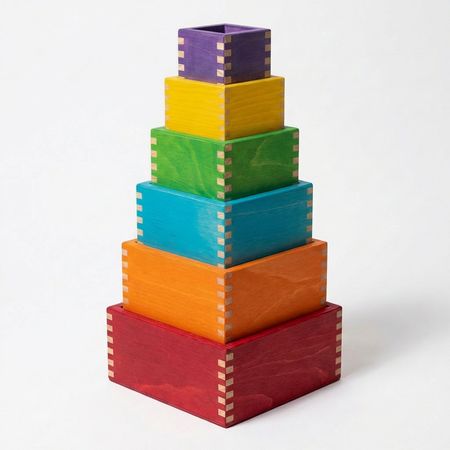
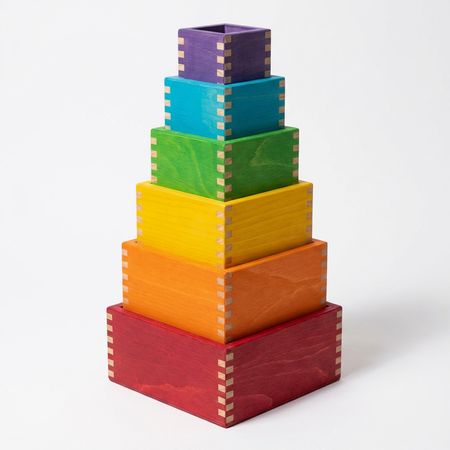
“Swap the positions of the blue and yellow blocks”
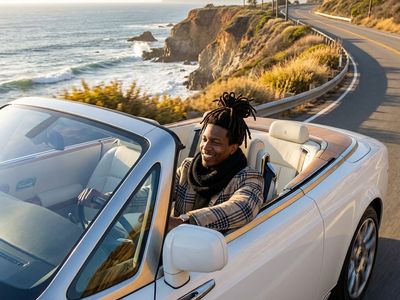
“Make a photo of the man driving the car down the California coastline”
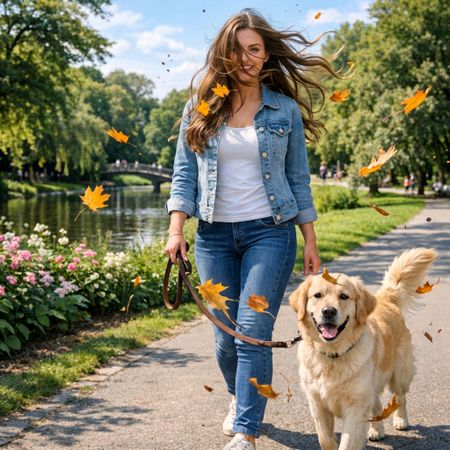

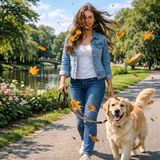
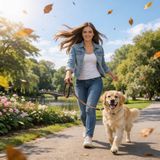
“Add dynamic motion to this photo: make hair blow in the wind, add leaves flying, energetic and lively feel.”
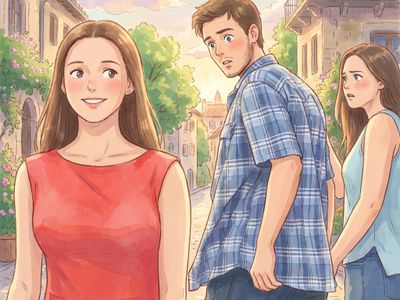
“Transform this photo into a Studio Ghibli–inspired illustration. Use soft pastel colors, hand-painted textures, gentle lighting, dreamy backgrounds, and a warm, nostalgic mood”
“Create a caricature of me and my job. Make it exaggerated and humorous, incorporating my profession as a tv show anchor and my love for dogs and hockey.”
“Transform this photo into a Studio Ghibli–inspired illustration. Use soft pastel colors, hand-painted textures, gentle lighting, dreamy backgrounds, and a warm, nostalgic mood”
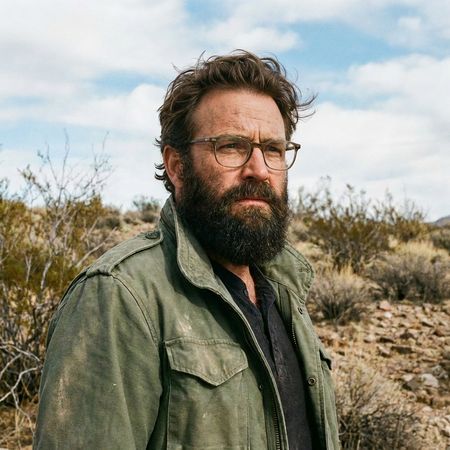

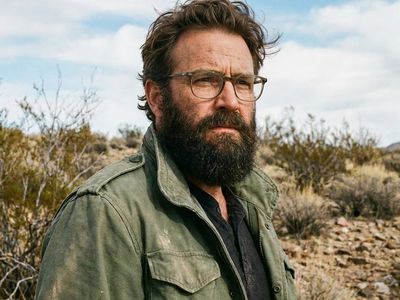
“Give the person a full, thick head of natural hair with realistic texture, density, and a natural hairline. Preserve facial features and lighting.”
“Make a photo of the man driving the car down the California coastline”
“Add dynamic motion to this photo: make hair blow in the wind, add leaves flying, energetic and lively feel.”
“Use Image 1 as the base person. Dress them in the exact elaborate outfit from Image 2 (including all layers, accessories, jewelry, and shoes). Carefully adapt the clothing to the body shape and pose in Image 1 while maintaining realistic fabric behavior, correct proportions, and perfect lighting/shadow matching. Keep the person’s exact face, hair, and background completely unchanged.”
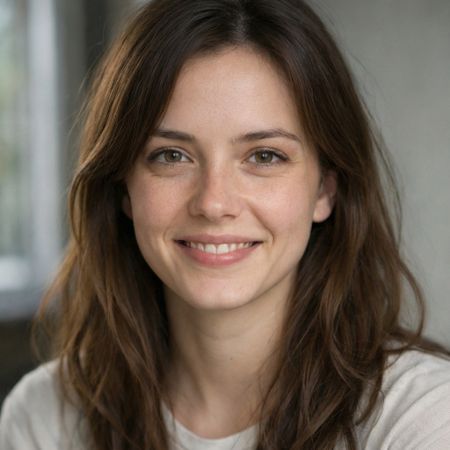
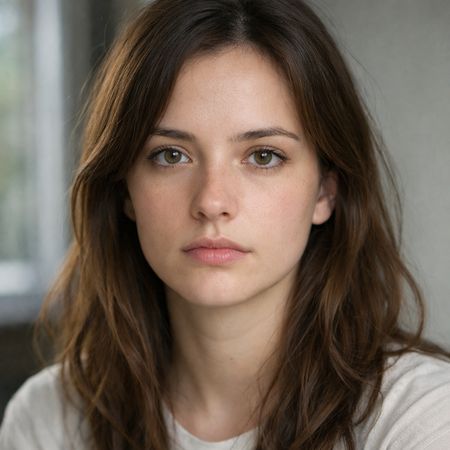
{
  "action": "image_edit",
  "reference": "uploaded neutral portrait",
  "change": "Warm genuine Duchenne smile: lips curved up, slight natural teeth, soft eye crinkles, subtle cheek raise",
  "details": "Realistic smiling skin (dimples if present, soft cheek shadows), slightly brighter eyes; keep exact eye shape/color/iris",
  "preserve_exact": "Face identity/structure, eyes/nose/lips/eyebrows, hair, skin texture/pores/freckles, makeup, clothing, head pose, background, lighting, shadows, framing",
  "no_changes": "No face shape change, no new features, no gaze shift, no hair/clothing/lighting/background edits",
  "style": "Ultra-photorealistic 8K portrait, sharp face focus, natural soft lighting, realistic skin glow"
}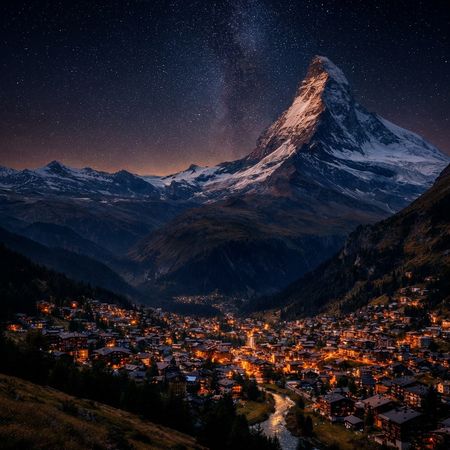
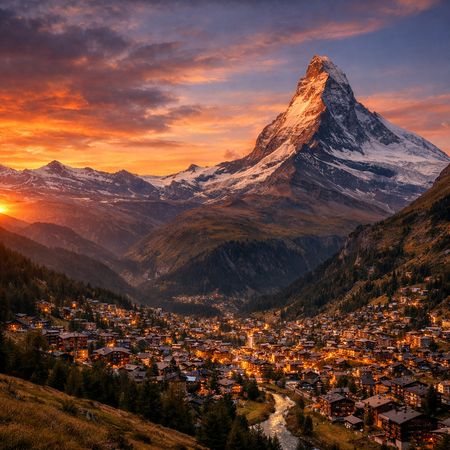
“Change the scene to night: a deep, dark sky with subtle, glistening stars visible behind the mountain.”
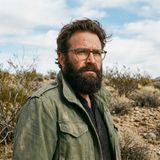
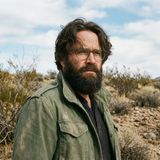
“Give the person a full, thick head of natural hair with realistic texture, density, and a natural hairline. Preserve facial features and lighting.”
“Make a photo of the man driving the car down the California coastline”
“Create a caricature of me and my job. Make it exaggerated and humorous, incorporating my profession as a tv show anchor and my love for dogs and hockey.”
“Add dynamic motion to this photo: make hair blow in the wind, add leaves flying, energetic and lively feel.”
“Transform this photo into a Studio Ghibli–inspired illustration. Use soft pastel colors, hand-painted textures, gentle lighting, dreamy backgrounds, and a warm, nostalgic mood”
“Use Image 1 as the exact pose reference and Image 2 as the character reference. Recreate the person/character from Image 2 in the exact dynamic pose and body position from Image 1. Keep the exact face, hair, clothing style/details, and expression from Image 2. Match the lighting and environment of Image 1. The final image must show the character from Image 2 performing the precise action/pose from Image 1 with perfect anatomy and natural integration.”
“Use Image 1 as the base person. Dress them in the exact elaborate outfit from Image 2 (including all layers, accessories, jewelry, and shoes). Carefully adapt the clothing to the body shape and pose in Image 1 while maintaining realistic fabric behavior, correct proportions, and perfect lighting/shadow matching. Keep the person’s exact face, hair, and background completely unchanged.”
{
  "action": "image_edit",
  "reference": "uploaded neutral portrait",
  "change": "Warm genuine Duchenne smile: lips curved up, slight natural teeth, soft eye crinkles, subtle cheek raise",
  "details": "Realistic smiling skin (dimples if present, soft cheek shadows), slightly brighter eyes; keep exact eye shape/color/iris",
  "preserve_exact": "Face identity/structure, eyes/nose/lips/eyebrows, hair, skin texture/pores/freckles, makeup, clothing, head pose, background, lighting, shadows, framing",
  "no_changes": "No face shape change, no new features, no gaze shift, no hair/clothing/lighting/background edits",
  "style": "Ultra-photorealistic 8K portrait, sharp face focus, natural soft lighting, realistic skin glow"
}“Swap the positions of the blue and yellow blocks”
“Make a photo of the man driving the car down the California coastline”
“Use Image 1 as the base person. Dress them in the exact elaborate outfit from Image 2 (including all layers, accessories, jewelry, and shoes). Carefully adapt the clothing to the body shape and pose in Image 1 while maintaining realistic fabric behavior, correct proportions, and perfect lighting/shadow matching. Keep the person’s exact face, hair, and background completely unchanged.”
“Swap the positions of the blue and yellow blocks”
“Make a photo of the man driving the car down the California coastline”
“Change the scene to night: a deep, dark sky with subtle, glistening stars visible behind the mountain.”
“Give the person a full, thick head of natural hair with realistic texture, density, and a natural hairline. Preserve facial features and lighting.”
“Make a photo of the man driving the car down the California coastline”
“Add dynamic motion to this photo: make hair blow in the wind, add leaves flying, energetic and lively feel.”
“Use Image 1 as the exact pose reference and Image 2 as the character reference. Recreate the person/character from Image 2 in the exact dynamic pose and body position from Image 1. Keep the exact face, hair, clothing style/details, and expression from Image 2. Match the lighting and environment of Image 1. The final image must show the character from Image 2 performing the precise action/pose from Image 1 with perfect anatomy and natural integration.”
“Use Image 1 as the base person. Dress them in the exact elaborate outfit from Image 2 (including all layers, accessories, jewelry, and shoes). Carefully adapt the clothing to the body shape and pose in Image 1 while maintaining realistic fabric behavior, correct proportions, and perfect lighting/shadow matching. Keep the person’s exact face, hair, and background completely unchanged.”
“Change the scene to night: a deep, dark sky with subtle, glistening stars visible behind the mountain.”
“Give the person a full, thick head of natural hair with realistic texture, density, and a natural hairline. Preserve facial features and lighting.”
“Create a caricature of me and my job. Make it exaggerated and humorous, incorporating my profession as a tv show anchor and my love for dogs and hockey.”
{
  "action": "image_edit",
  "reference": "uploaded neutral portrait",
  "change": "Warm genuine Duchenne smile: lips curved up, slight natural teeth, soft eye crinkles, subtle cheek raise",
  "details": "Realistic smiling skin (dimples if present, soft cheek shadows), slightly brighter eyes; keep exact eye shape/color/iris",
  "preserve_exact": "Face identity/structure, eyes/nose/lips/eyebrows, hair, skin texture/pores/freckles, makeup, clothing, head pose, background, lighting, shadows, framing",
  "no_changes": "No face shape change, no new features, no gaze shift, no hair/clothing/lighting/background edits",
  "style": "Ultra-photorealistic 8K portrait, sharp face focus, natural soft lighting, realistic skin glow"
}“Add dynamic motion to this photo: make hair blow in the wind, add leaves flying, energetic and lively feel.”
“Use Image 1 as the exact pose reference and Image 2 as the character reference. Recreate the person/character from Image 2 in the exact dynamic pose and body position from Image 1. Keep the exact face, hair, clothing style/details, and expression from Image 2. Match the lighting and environment of Image 1. The final image must show the character from Image 2 performing the precise action/pose from Image 1 with perfect anatomy and natural integration.”
“Create a caricature of me and my job. Make it exaggerated and humorous, incorporating my profession as a tv show anchor and my love for dogs and hockey.”
“Transform this photo into a Studio Ghibli–inspired illustration. Use soft pastel colors, hand-painted textures, gentle lighting, dreamy backgrounds, and a warm, nostalgic mood”
See how Nano Banana Pro performs head-to-head against other AI models, ranked by community votes in blind comparisons.
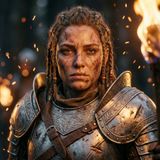
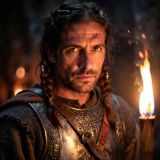
This model excels in photorealism and portraiture, achieving a #1 rank for photorealistic output with a 67.6% win rate and an 80% win rate in portrait categories. While it performs strongly in text rendering at rank #5, it shows lower efficiency for product, branding, and commercial applications where it ranks #15.
Nano Banana Pro starts at $0.067 per image through Lumenfall. Pricing varies by provider. Lumenfall does not add any markup to provider pricing.
Nano Banana Pro supports Function calling, Structured output, Batch, Streaming, System prompt, Tool use, Grounding, Thinking, Code execution, and Json mode. It accepts text, image, audio, video, and file input and produces text and image output.
You can use Nano Banana Pro through Lumenfall's OpenAI-compatible API. Send requests to the unified endpoint with model ID "gemini-3-pro-image-preview". Code examples are available in Python, JavaScript, and cURL.
Nano Banana Pro is available through fal.ai, Replicate, Vertex AI, and Gemini API on Lumenfall. Lumenfall automatically routes requests to the best available provider.
Gemini 3 Pro Image Preview is a multimodal model developed by Google that integrates advanced reasoning capabilities with native image generation and editing. Specifically designed to bridge the gap between complex cognitive tasks and visual synthesis, this model allows users to perform interleaved text-and-image workflows within a single session. It is distinctive for its high-density reasoning performance and its ability to process diverse inputs—including audio, video, and files—while outputting both descriptive text and high-fidelity images.
Gemini 3 Pro is built on a transformer-based multimodal architecture designed for native cross-modal understanding. Rather than using a separate text-to-image “wrapper,” the model leverages integrated training objectives that allow visual and textual tokens to be processed in a unified latent space. Key technical features include a “thinking” mode for enhanced chain-of-thought processing and built-in code execution for validating logic before generating final outputs.
This model is ideal for building sophisticated creative assistants that require deep context, such as storyboard generators that analyze scripts (text or PDF) to create visual frames, or marketing tools that generate ad copy and matching imagery simultaneously. It is also well-suited for developers needing structured data extraction from images coupled with automated visual editing.
Gemini 3 Pro Image Preview is available through Lumenfall’s unified API and playground, allowing for easy integration into existing multimodal applications.
Generate images with custom prompts — no API key needed.