DALL-E 2

AI Image Editing Model

Image $$ · 1.6¢ Deprecated

OpenAI's legacy image generation model supporting generations, edits with masks (inpainting), and variations

1024 x 1024
Max Resolution
10
Max Images per Request
Supported Modes
Text to Image Image Edit
Deprecated

Details

Model ID
dall-e-2
Creator
Family
dall-e
Released
April 2022
Sunset
May 12, 2026
Tags
image-generation text-to-image image-editing inpainting
// Get Started

Ready to integrate?

Access dall-e-2 via our unified API.

Create Account
Available at 2 providers

Starting from

$0.016 /image via OpenAI · +1 more

Popular formats

256×256
~$0.016
512×512
~$0.018
1024×1024
~$0.020

Prices shown are in USD

See all providers

Providers & Pricing (2)

DALL-E 2 is available from 2 providers, with per-image pricing starting at $0.016 through OpenAI.

OpenAI
Text to Image Image Edit
openai/dall-e-2
Provider Model ID: dall-e-2

Output

Image 1024x1024
$0.020 per image
Image 256x256
$0.016 per image
Image 512x512
$0.018 per image
Pricing Notes (3)
  • Deprecated model - will stop being supported on May 12, 2026
  • Pricing is per image, varying by size
  • Supports generations, edits with masks (inpainting), and variations
Replicate
Text to Image
replicate/dall-e-2
Provider Model ID: openai/dall-e-2
$0.020 /image

DALL-E 2 API OpenAI-compatible

Lumenfall provides an OpenAI-compatible API to generate images, create variations, and perform mask-based inpainting using the DALL-E 2 model. Developers can programmatically produce 1024x1024 visuals and execute image-to-image edits through a single unified endpoint.

Base URL
https://api.lumenfall.ai/openai/v1
Model
dall-e-2

Code Examples

Text to Image

/v1/images/generations
curl -X POST \
  https://api.lumenfall.ai/openai/v1/images/generations \
  -H "Authorization: Bearer $LUMENFALL_API_KEY" \
  -H "Content-Type: application/json" \
  -d '{
    "model": "dall-e-2",
    "prompt": "",
    "size": "1024x1024"
  }'
# Response:
# { "created": 1234567890, "data": [{ "url": "https://...", "revised_prompt": "..." }] }

Image Edit

/v1/images/edits

Parameter Reference

Required Supported Not available

Core Parameters

Parameter Type Description Modes
prompt string Required. Text prompt for image generation
T2I Edit

Size & Layout

Parameter Type Description Modes
size string Image dimensions as WxH pixels (e.g. "1024x1024") or aspect ratio (e.g. "16:9")
WxH determines both shape and scale (aspect_ratio and resolution are ignored when size is provided). W:H format is equivalent to aspect_ratio.
T2I Edit
aspect_ratio string Aspect ratio of the output image (e.g. "16:9", "1:1")
Controls shape independently of scale. Use with resolution to control both. If size is also provided, size takes precedence. Any ratio is accepted and mapped to the nearest supported value.
T2I Edit
resolution string Output resolution tier (e.g. "1K", "4K")
Controls scale independently of shape. Higher tiers produce larger images and cost more. If size is also provided, size takes precedence for scale. Any tier is accepted and mapped to the nearest supported value.
T2I Edit
size

Exact pixel dimensions

"1920x1080"
aspect_ratio

Shape only, default scale

"16:9"
resolution

Scale tier, preserves shape

"1K"

Priority when combined

size aspect_ratio + resolution aspect_ratio resolution

size is most specific and always wins. aspect_ratio and resolution control shape and scale independently.

How matching works

Shape matching – we pick the closest supported ratio. Ask for 7:1 on a model with 4:1 and 8:1, you get 8:1.
Scale matching – providers use different tier formats: K tiers (0.5K 1K 2K 4K) or megapixel tiers (0.25 1). If the exact tier isn't available, you get the nearest one.
Dimension clamping – if a model has pixel limits, we clamp dimensions to fit and keep the aspect ratio intact.

Media Inputs

Parameter Type Description Modes
image file Required. Input image(s) to edit
Supports PNG, JPEG, WebP.
T2I Edit

Output & Format

Parameter Type Description Modes
response_format string How to return the image
url b64_json
Default: "url"
T2I Edit
output_format string Output image format
png jpeg gif webp avif
Gateway converts to requested format if provider doesn't support it natively.
T2I Edit
output_compression integer Compression level for lossy formats (JPEG, WebP, AVIF)
T2I Edit
n integer Number of images to generate
Default: 1
Gateway generates multiple images in parallel even if provider only supports 1.
T2I Edit

Parameter Normalization

How we handle parameters across different providers

Not every provider speaks the same language. When you send a parameter, we handle it in one of four ways depending on what the model supports:

Behavior What happens Example
passthrough Sent as-is to the provider style, quality
renamed Same value, mapped to the field name the provider expects prompt
converted Transformed to the provider's native format size
emulated Works even if the provider has no concept of it n, response_format

Parameters we don't recognize pass straight through to the upstream API, so provider-specific options still work.

DALL-E 2 FAQ

How much does DALL-E 2 cost?

DALL-E 2 starts at $0.016 per image through Lumenfall. Pricing varies by provider. Lumenfall does not add any markup to provider pricing.

How do I use DALL-E 2 via API?

You can use DALL-E 2 through Lumenfall's OpenAI-compatible API. Send requests to the unified endpoint with model ID "dall-e-2". Code examples are available in Python, JavaScript, and cURL.

Which providers offer DALL-E 2?

DALL-E 2 is available through OpenAI and Replicate on Lumenfall. Lumenfall automatically routes requests to the best available provider.

What is the maximum resolution for DALL-E 2?

DALL-E 2 supports images up to 1024x1024 resolution.

Overview

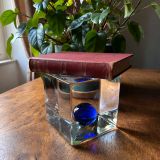
DALL-E 2 is a legacy text-to-image diffusion model developed by OpenAI that generates images from natural language descriptions. While succeeded by newer iterations, it remains a stable benchmark for image synthesis, offering a distinct feature set that includes image-to-image variations and mask-based inpainting. It is particularly known for its ability to combine disparate concepts and objects in a coherent, albeit often stylized, visual manner.

Strengths

  • Image Inpainting: The model excels at modifying existing images through masking, allowing users to replace specific elements or extend backgrounds while maintaining the original image’s context and lighting.
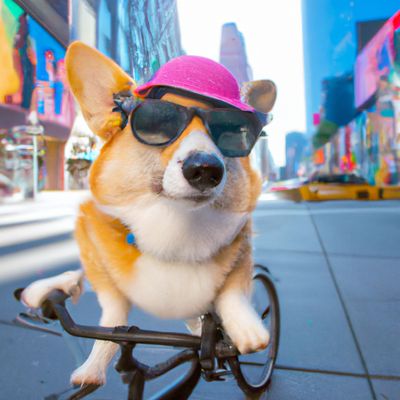
  • Concept Blending: It demonstrates a strong capability for semantic synthesis, such as placing a 3D-rendered character in a real-world setting or applying specific artistic styles (e.g., “in the style of Van Gogh”) to original subjects.
  • Compositional Understanding: DALL-E 2 handles spatial relationships and object attributes with reasonable accuracy, ensuring that adjectives are generally applied to the correct nouns within a prompt.
  • Variation Generation: It can ingest an existing image and output multiple visual permutations that retain the original’s core theme and color palette without being exact copies.

Limitations

  • Low Resolution: Native output is limited to 1024x1024 pixels, which often lacks the fine-grained texture and sharp detail found in more modern models like DALL-E 3 or Midjourney.
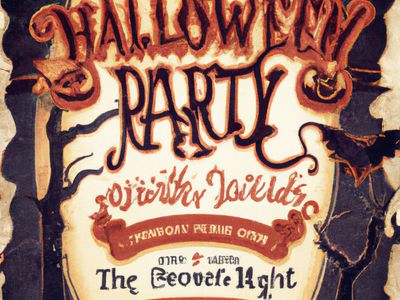
  • Text Rendering: The model struggle significantly with rendering legible text; characters often appear as nonsensical glyphs or blurred artifacts.
  • Photorealism Constraints: Compared to newer latent diffusion models, DALL-E 2 often produces images with a “plastic” or overly smooth aesthetic, struggling with complex human anatomy like hands or eyes.

Technical Background

DALL-E 2 is built on a CLIP-guided diffusion architecture, specifically a process OpenAI refers to as “unCLIP.” It uses the CLIP (Contrastive Language-Image Pre-training) latent space to translate text embeddings into image embeddings, which a decoder then converts into a visual representation. This approach prioritizes the relationship between visual concepts and their linguistic descriptions over raw pixel-mapping.

Best For

DALL-E 2 is best suited for rapid prototyping, creating stylized illustrations, and performing basic image editing tasks like inpainting or outpainting where high-fidelity photorealism isn’t the primary requirement. It is a cost-effective choice for developers who need consistent, programmatic image variations.

This model is available for testing and integration through Lumenfall’s unified API and interactive playground, allowing you to compare its outputs directly against more recent generative models.
Try DALL-E 2 in Playground

Generate images with custom prompts — no API key needed.

Open Playground