Image Editing
Source
Edit instruction
“Make a photo of the man driving the car down the California coastline”
AI Image Editing Model
Black Forest Labs' precision image generation model with maximum control, reliable text rendering, and complete creative control supporting up to 4MP output
![FLUX.2 [flex] generated image of A vibrant double exposure of a neon-lit cyberpunk city silhouette contained w...](https://assets.lumenfall.ai/gQ-ViigraqDY4cYc6nF7XNtCjdhanuecN9GfQX793mo/rs:fill:400:400:1/plain/gs://lumenfall-prod-assets/vx1l33wxj0jshyqih40h70k7o7ab@jpeg)
![FLUX.2 [flex] generated image of A hyper-realistic close-up of a neon-lit glass bottle. Inside, 3D glowing liq...](https://assets.lumenfall.ai/hPkrwHPPkFZXFmi6ZUCkKdbRQRTAwbYm4BsQCfgqzxM/rs:fill:400:400:1/plain/gs://lumenfall-prod-assets/m1znys30zsd7txtuir3bc8g4t6hz@jpeg)
flux.2-flex
Starting from
Prices shown are in USD · Some prices estimated from per-megapixel or per-token pricing
See all providersFLUX.2 [flex] is available from 2 providers, with per-image pricing starting at $0.06 through fal.ai.
fal/flux.2-flex-edit
replicate/flux.2-flex
Integrate FLUX.2 [flex] into your application via Lumenfall’s OpenAI-compatible API to programmatically generate 4MP images and perform high-resolution image editing. This unified endpoint provides seamless access to the model's text-to-image and creative modification capabilities.
https://api.lumenfall.ai/openai/v1
flux.2-flex
curl -X POST \ https://api.lumenfall.ai/openai/v1/images/edits \ -H "Authorization: Bearer $LUMENFALL_API_KEY" \ -F "model=flux.2-flex" \ -F "[email protected]" \ -F "prompt=Add a starry night sky to this image" \ -F "size=1024x1024"# Response:# { "created": 1234567890, "data": [{ "url": "https://...", "revised_prompt": "..." }] }import OpenAI from 'openai';import fs from 'fs';const client = new OpenAI({ apiKey: 'YOUR_API_KEY', baseURL: 'https://api.lumenfall.ai/openai/v1'});const response = await client.images.edit({ model: 'flux.2-flex', image: fs.createReadStream('source.png'), prompt: 'Add a starry night sky to this image', size: '1024x1024'});// { created: 1234567890, data: [{ url: "https://...", revised_prompt: "..." }] }console.log(response.data[0].url);from openai import OpenAIclient = OpenAI( api_key="YOUR_API_KEY", base_url="https://api.lumenfall.ai/openai/v1")response = client.images.edit( model="flux.2-flex", image=open("source.png", "rb"), prompt="Add a starry night sky to this image", size="1024x1024")# { created: 1234567890, data: [{ url: "https://...", revised_prompt: "..." }] }print(response.data[0].url)| Parameter | Type | Description | Modes |
|---|---|---|---|
prompt
|
string | Required. Text prompt for image generation |
T2I
Edit
|
seed
|
integer | Random seed for reproducibility |
T2I
Edit
|
| Parameter | Type | Description | Modes |
|---|---|---|---|
size
|
string |
Image dimensions as WxH pixels (e.g. "1024x1024") or aspect ratio (e.g. "16:9")
WxH determines both shape and scale (aspect_ratio and resolution are ignored when size is provided). W:H format is equivalent to aspect_ratio.
|
T2I
Edit
|
aspect_ratio
|
string |
Aspect ratio of the output image (e.g. "16:9", "1:1")
Controls shape independently of scale. Use with resolution to control both. If size is also provided, size takes precedence. Any ratio is accepted and mapped to the nearest supported value.
|
T2I
Edit
|
resolution
|
string |
Output resolution tier (e.g. "1K", "4K")
auto
1K
Controls scale independently of shape. Higher tiers produce larger images and cost more. If size is also provided, size takes precedence for scale. Any tier is accepted and mapped to the nearest supported value.
|
T2I
Edit
|
| Output |
size
|
aspect_ratio
+
resolution
|
|
|---|---|---|---|
| Flexible | |||
| Auto | "auto" |
— | Model chooses optimal dimensions |
|
Custom
1–14142px per side
|
"WxH" |
— | Any pixel dimensions within model constraints |
| Output |
size
|
aspect_ratio
+
resolution
|
|
|---|---|---|---|
| 1183 × 887 | "1183x887" |
or |
"4:3"
+
"1K"
|
| 916 × 1145 | "916x1145" |
or |
"4:5"
+
"1K"
|
| 1145 × 916 | "1145x916" |
or |
"5:4"
+
"1K"
|
| 1024 × 1024 | "1024x1024" |
or |
"1:1"
+
"1K"
|
| 887 × 1182 | "887x1182" |
or |
"3:4"
+
"1K"
|
| 836 × 1254 | "836x1254" |
or |
"2:3"
+
"1K"
|
| 1254 × 836 | "1254x836" |
or |
"3:2"
+
"1K"
|
| 768 × 1365 | "768x1365" |
or |
"9:16"
+
"1K"
|
| 1365 × 768 | "1365x768" |
or |
"16:9"
+
"1K"
|
size
Exact pixel dimensions
"1920x1080"
aspect_ratio
Shape only, default scale
"16:9"
resolution
Scale tier, preserves shape
"1K"
size is most specific and always wins. aspect_ratio and resolution control shape and scale independently.
7:1 on a model with
4:1 and 8:1,
you get 8:1.
0.5K 1K 2K 4K)
or megapixel tiers (0.25 1).
If the exact tier isn't available, you get the nearest one.
| Parameter | Type | Description | Modes |
|---|---|---|---|
image
|
file |
Required.
Input image(s) to edit
Supports PNG, JPEG, WebP.
Up to 10 images per request.
|
T2I
Edit
|
| Parameter | Type | Description | Modes |
|---|---|---|---|
response_format
|
string |
How to return the image
url
b64_json
Default:
"url" |
T2I
Edit
|
output_format
|
string |
Output image format
png
jpeg
gif
webp
avif
Gateway converts to requested format if provider doesn't support it natively.
|
T2I
Edit
|
output_compression
|
integer | Compression level for lossy formats (JPEG, WebP, AVIF) |
T2I
Edit
|
n
|
integer |
Number of images to generate
Default:
1Gateway generates multiple images in parallel even if provider only supports 1.
|
T2I
Edit
|
Provider-specific passthrough fields, available only when the request is routed to the listed provider.
| Parameter | Type | Description | Modes |
|---|---|---|---|
|
Universal
|
|||
cfg_scale
|
number | Classifier-free guidance scale — higher values stick more closely to the prompt |
T2I
Edit
|
prompt_enhancement
|
string |
Whether an LLM rewrites/expands the prompt before generation (off, on)
off
on
|
T2I
Edit
|
safety_tolerance
|
string |
The safety tolerance level for the generated image. 1 being the most strict and 5 being the most permissive.
1
2
3
4
5
|
T2I
Edit
|
|
fal
|
|||
enable_safety_checker
|
boolean | Whether to enable the safety checker. |
T2I
Edit
|
num_inference_steps
|
integer | The number of inference steps to perform. |
T2I
Edit
|
sync_mode
|
boolean | If `True`, the media will be returned as a data URI and the output data won't be available in the request history. |
T2I
Edit
|
|
replicate
|
|||
height
|
integer | Height of the generated image. Only used when aspect_ratio=custom. Must be a multiple of 16 (if it's not, it will be rounded to nearest multiple of 16). |
T2I
Edit
|
output_quality
|
integer | Quality when saving the output images, from 0 to 100. 100 is best quality, 0 is lowest quality. Not relevant for .png outputs |
T2I
Edit
|
steps
|
integer | Number of inference steps |
T2I
Edit
|
width
|
integer | Width of the generated image. Only used when aspect_ratio=custom. Must be a multiple of 16 (if it's not, it will be rounded to nearest multiple of 16). |
T2I
Edit
|
How we handle parameters across different providers
Not every provider speaks the same language. When you send a parameter, we handle it in one of four ways depending on what the model supports:
| Behavior | What happens | Example |
|---|---|---|
passthrough |
Sent as-is to the provider | style, quality |
renamed |
Same value, mapped to the field name the provider expects | prompt |
converted |
Transformed to the provider's native format | size |
emulated |
Works even if the provider has no concept of it | n, response_format |
Parameters we don't recognize pass straight through to the upstream API, so provider-specific options still work.
FLUX.2 [flex] holds the #4 rank in Image Editing with a 1228 Elo and maintains the #14 position for Text-to-Image generation with a 1240 Elo rating. These scores place the model among the top-tier competitors for precision creative control and consistent visual output.
1 model without pricing omitted.
7 models waiting for enough speed data.
“Make a photo of the man driving the car down the California coastline”
![FLUX.2 [flex] edited result for Night Sky Transformation](https://assets.lumenfall.ai/Yvi3xGsCVhip5HQNXdCTbyvPabYaD1OwF4gZixwYR0k/rs:fit:450:450:0/plain/gs://lumenfall-prod-assets/x2xbtlsn6my8mwynxpv5dl48w03l@jpeg)
![Original image before FLUX.2 [flex] editing](https://assets.lumenfall.ai/7FLNT2Gn8JfhXzLvXBqxgGrFTwFSKvCII1iqDFojBsI/rs:fit:450:450:0/plain/gs://lumenfall-prod-assets/gyhqhoozxf6mqlc4g0727ubd8me7@jpeg)
“Change the scene to night: a deep, dark sky with subtle, glistening stars visible behind the mountain.”
See how FLUX.2 [flex] performs head-to-head against other AI models, ranked by community votes in blind comparisons.




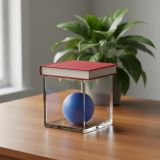
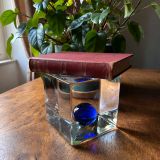



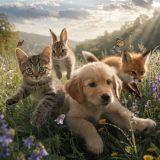
The model excels in high-fidelity photorealism where it ranks #4 with a 52.5% win rate, though it shows lower performance in text rendering and commercial branding categories. Its strengths are primary concentrated in photographic output rather than graphic design or typography-heavy tasks.
FLUX.2 [flex] starts at $0.06 per image through Lumenfall. Pricing varies by provider. Lumenfall does not add any markup to provider pricing.
You can use FLUX.2 [flex] through Lumenfall's OpenAI-compatible API. Send requests to the unified endpoint with model ID "flux.2-flex". Code examples are available in Python, JavaScript, and cURL.
FLUX.2 [flex] is available through fal.ai and Replicate on Lumenfall. Lumenfall automatically routes requests to the best available provider.
FLUX.2 [flex] supports images up to 2048x2048 resolution.
FLUX.2 [flex] is a high-resolution image generation model developed by Black Forest Labs, designed specifically for workflows requiring high precision and administrative control over visual output. It supports generation up to 4 megapixels (4MP), significantly exceeding the standard 1MP outputs of many contemporary latent diffusion models. The model is built to bridge the gap between creative prompt engineering and technical asset production by prioritizing structural reliability and legible typography.
FLUX.2 [flex] belongs to the FLUX.2 family of models, characterized by an evolved transformer-based diffusion architecture. It utilizes a flow-tracking approach to image synthesis, which improves the model’s ability to follow complex prompts and maintain global coherence at high resolutions. Black Forest Labs optimized this specific variant to maximize the signal-to-noise ratio in high-frequency details, allowing for the 4MP ceiling while maintaining anatomical and structural accuracy.
FLUX.2 [flex] is ideal for professional graphic design, advertising campaigns requiring specific font integration, and high-resolution digital art where detail and control are paramount. Developers can leverage this model to build applications for automated marketing collateral or high-fidelity asset generation where “hallucinated” text or blurry background details would be unacceptable.
You can experiment with FLUX.2 [flex] parameters and integrate it into your production environments via the Lumenfall unified API and interactive playground.
Generate images with custom prompts — no API key needed.
![FLUX.2 [flex] — Photorealism](https://assets.lumenfall.ai/1H22xhwuHfJQV6TcGOXxaC6lZlbRG9_smJIgyayfsPA/rs:fill:400:300:1/plain/gs://lumenfall-prod-assets/dkxj9jztrkleqjdkus537zl1fwls@jpeg)