“Handwritten-style chalkboard menu in a cozy café, all text rendered in the exact same realistic chalk handwriting style with natural variations in letter size, slight slant, and chalk texture — no printed or digital fonts anywhere on the board. Title at the top in elegant cursive chalk handwriting: ‘TODAY’S SPECIALS – APRIL 30, 2026’. Below it, three menu items also in the same handwritten chalk style: ‘Truffle Mushroom Risotto – $24’, ‘Grilled Octopus with Lemon & Herbs – $28’, ‘Brown Butter Chocolate Chip Cookies – $9’. At the very bottom, smaller text in the identical handwritten chalk style (slightly smaller but still clearly legible with the same handwriting characteristics): ‘All items made fresh daily • Ask about our gluten-free options’. Warm ambient café lighting, visible chalk dust and smudges, realistic handwriting imperfections, no clean printed text anywhere.”
FLUX.1 Krea [dev]
AI Image Generation Model
Black Forest Labs' aesthetically-tuned 12-billion parameter flow transformer optimized for high-quality images with incredible aesthetics, suitable for personal and commercial use
Details
flux.1-krea-dev
Starting from
Prices shown are in USD
See all providersProviders & Pricing (3)
FLUX.1 Krea [dev] is available from 3 providers, with per-image pricing starting at $0.025 through fal.ai.
fal/flux.1-krea-dev
fal/flux.1-krea-dev-edit
replicate/flux.1-krea-dev
FLUX.1 Krea [dev] API OpenAI-compatible
Integrate FLUX.1 Krea [dev] via the Lumenfall OpenAI-compatible API to generate high-fidelity, aesthetically-tuned images using Black Forest Labs' advanced text-to-image technology.
https://api.lumenfall.ai/openai/v1
flux.1-krea-dev
Code Examples
Text to Image
/v1/images/generationscurl -X POST \ https://api.lumenfall.ai/openai/v1/images/generations \ -H "Authorization: Bearer $LUMENFALL_API_KEY" \ -H "Content-Type: application/json" \ -d '{ "model": "flux.1-krea-dev", "prompt": "", "size": "1024x1024" }'# Response:# { "created": 1234567890, "data": [{ "url": "https://...", "revised_prompt": "..." }] }import OpenAI from 'openai';const client = new OpenAI({ apiKey: 'YOUR_API_KEY', baseURL: 'https://api.lumenfall.ai/openai/v1'});const response = await client.images.generate({ model: 'flux.1-krea-dev', prompt: '', size: '1024x1024'});// { created: 1234567890, data: [{ url: "https://...", revised_prompt: "..." }] }console.log(response.data[0].url);from openai import OpenAIclient = OpenAI( api_key="YOUR_API_KEY", base_url="https://api.lumenfall.ai/openai/v1")response = client.images.generate( model="flux.1-krea-dev", prompt="", size="1024x1024")# { created: 1234567890, data: [{ url: "https://...", revised_prompt: "..." }] }print(response.data[0].url)Image Edit
/v1/images/editscurl -X POST \ https://api.lumenfall.ai/openai/v1/images/edits \ -H "Authorization: Bearer $LUMENFALL_API_KEY" \ -F "model=flux.1-krea-dev" \ -F "[email protected]" \ -F "prompt=Add a starry night sky to this image" \ -F "size=1024x1024"# Response:# { "created": 1234567890, "data": [{ "url": "https://...", "revised_prompt": "..." }] }import OpenAI from 'openai';import fs from 'fs';const client = new OpenAI({ apiKey: 'YOUR_API_KEY', baseURL: 'https://api.lumenfall.ai/openai/v1'});const response = await client.images.edit({ model: 'flux.1-krea-dev', image: fs.createReadStream('source.png'), prompt: 'Add a starry night sky to this image', size: '1024x1024'});// { created: 1234567890, data: [{ url: "https://...", revised_prompt: "..." }] }console.log(response.data[0].url);from openai import OpenAIclient = OpenAI( api_key="YOUR_API_KEY", base_url="https://api.lumenfall.ai/openai/v1")response = client.images.edit( model="flux.1-krea-dev", image=open("source.png", "rb"), prompt="Add a starry night sky to this image", size="1024x1024")# { created: 1234567890, data: [{ url: "https://...", revised_prompt: "..." }] }print(response.data[0].url)Parameter Reference
Core Parameters
| Parameter | Type | Description | Modes |
|---|---|---|---|
prompt
|
string | Required. Text prompt for image generation |
T2I
Edit
|
seed
|
integer | Random seed for reproducibility |
T2I
Edit
|
Size & Layout
| Parameter | Type | Description | Modes |
|---|---|---|---|
size
|
string |
Image dimensions as WxH pixels (e.g. "1024x1024") or aspect ratio (e.g. "16:9")
WxH determines both shape and scale (aspect_ratio and resolution are ignored when size is provided). W:H format is equivalent to aspect_ratio.
|
T2I
Edit
|
aspect_ratio
|
string |
Aspect ratio of the output image (e.g. "16:9", "1:1")
Controls shape independently of scale. Use with resolution to control both. If size is also provided, size takes precedence. Any ratio is accepted and mapped to the nearest supported value.
|
T2I
Edit
|
resolution
|
string |
Output resolution tier (e.g. "1K", "4K")
1K
Controls scale independently of shape. Higher tiers produce larger images and cost more. If size is also provided, size takes precedence for scale. Any tier is accepted and mapped to the nearest supported value.
|
T2I
Edit
|
| Output |
size
|
aspect_ratio
+
resolution
|
|
|---|---|---|---|
| Flexible | |||
|
Custom
1–14142px per side
|
"WxH" |
— | Any pixel dimensions within model constraints |
1K 11 sizes
| Output |
size
|
aspect_ratio
+
resolution
|
|
|---|---|---|---|
| 1183 × 887 | "1183x887" |
or |
"4:3"
+
"1K"
|
| 916 × 1145 | "916x1145" |
or |
"4:5"
+
"1K"
|
| 1145 × 916 | "1145x916" |
or |
"5:4"
+
"1K"
|
| 1024 × 1024 | "1024x1024" |
or |
"1:1"
+
"1K"
|
| 887 × 1182 | "887x1182" |
or |
"3:4"
+
"1K"
|
| 836 × 1254 | "836x1254" |
or |
"2:3"
+
"1K"
|
| 1254 × 836 | "1254x836" |
or |
"3:2"
+
"1K"
|
| 768 × 1365 | "768x1365" |
or |
"9:16"
+
"1K"
|
| 1365 × 768 | "1365x768" |
or |
"16:9"
+
"1K"
|
| 670 × 1564 | "670x1564" |
or |
"9:21"
+
"1K"
|
| 1563 × 670 | "1563x670" |
or |
"21:9"
+
"1K"
|
How these parameters work
size
Exact pixel dimensions
"1920x1080"
aspect_ratio
Shape only, default scale
"16:9"
resolution
Scale tier, preserves shape
"1K"
Priority when combined
size is most specific and always wins. aspect_ratio and resolution control shape and scale independently.
How matching works
7:1 on a model with
4:1 and 8:1,
you get 8:1.
0.5K 1K 2K 4K)
or megapixel tiers (0.25 1).
If the exact tier isn't available, you get the nearest one.
Media Inputs
| Parameter | Type | Description | Modes |
|---|---|---|---|
image
|
file |
Required.
Input image(s) to edit
Supports PNG, JPEG, WebP.
|
T2I
Edit
|
Output & Format
| Parameter | Type | Description | Modes |
|---|---|---|---|
response_format
|
string |
How to return the image
url
b64_json
Default:
"url" |
T2I
Edit
|
output_format
|
string |
Output image format
png
jpeg
gif
webp
avif
Gateway converts to requested format if provider doesn't support it natively.
|
T2I
Edit
|
output_compression
|
integer | Compression level for lossy formats (JPEG, WebP, AVIF) |
T2I
Edit
|
n
|
integer |
Number of images to generate
Default:
1Gateway generates multiple images in parallel even if provider only supports 1.
|
T2I
Edit
|
Additional Parameters
Provider-specific passthrough fields, available only when the request is routed to the listed provider.
| Parameter | Type | Description | Modes |
|---|---|---|---|
|
Universal
|
|||
cfg_scale
|
number | Classifier-free guidance scale — higher values stick more closely to the prompt |
T2I
Edit
|
strength
|
number | How much to transform the input image: 0 keeps it unchanged, 1 fully regenerates from the prompt |
T2I
Edit
|
num_inference_steps
|
integer | The number of inference steps to perform. |
T2I
Edit
|
|
fal
|
|||
acceleration
|
string |
The speed of the generation. The higher the speed, the faster the generation.
high
none
regular
|
T2I
Edit
|
enable_safety_checker
|
boolean | If set to true, the safety checker will be enabled. |
T2I
Edit
|
sync_mode
|
boolean | If `True`, the media will be returned as a data URI and the output data won't be available in the request history. |
T2I
Edit
|
|
replicate
|
|||
disable_safety_checker
|
boolean | Disable safety checker for generated images. |
T2I
Edit
|
go_fast
|
boolean | Run faster predictions with model optimized for speed (currently fp8 quantized); disable to run in original bf16. Note that outputs will not be deterministic when this is enabled, even if you set a seed. |
T2I
Edit
|
megapixels
|
string |
Approximate number of megapixels for generated image
0.25
1
|
T2I
Edit
|
output_quality
|
integer | Quality when saving the output images, from 0 to 100. 100 is best quality, 0 is lowest quality. Not relevant for .png outputs |
T2I
Edit
|
Parameter Normalization
How we handle parameters across different providers
Not every provider speaks the same language. When you send a parameter, we handle it in one of four ways depending on what the model supports:
| Behavior | What happens | Example |
|---|---|---|
passthrough |
Sent as-is to the provider | style, quality |
renamed |
Same value, mapped to the field name the provider expects | prompt |
converted |
Transformed to the provider's native format | size |
emulated |
Works even if the provider has no concept of it | n, response_format |
Parameters we don't recognize pass straight through to the upstream API, so provider-specific options still work.
FLUX.1 Krea [dev] Benchmarks
FLUX.1 Krea [dev] is ranked #42 in Text-to-Image with an Elo of 1211 on the Lumenfall Arena, where real users pick the better image in blind comparisons. These rankings are based on 5 blind-vote competitions.
Text-to-Image Landscape
Elo vs Cost
1 model without pricing omitted.
Elo vs Speed
40 models waiting for enough speed data.
Competition Results
“Hyper-photorealistic scene of fluffy baby animals—a golden retriever puppy, tabby kitten, baby bunny, and red fox kit—with big expressive eyes and ultra-detailed soft fur, playfully chasing butterflies and tumbling together in a lush wildflower meadow, warm golden sunrise light with god rays and dew sparkles, joyful wholesome vibe, 8K masterpiece.”
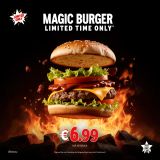
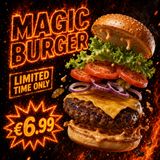
“Ad for 'Magic Burger'. Dynamic, exploded burger with all components (bun, patty, cheese, lettuce, tomato, sauce) suspended in mid-air. Emphasize photorealistic detail and a sense of motion. Dark, fiery background with glowing embers. Integrate text: 'MAGIC BURGER' as a prominent title, 'LIMITED TIME ONLY' as a secondary message, and '€6.99' in a starburst, all rendered with a fiery, glowing effect.”
“Create a clean, modern vector infographic poster about the Apollo 11 mission. NASA-inspired palette (navy, white, muted red, light gray). Flat-vector style, crisp lines, consistent iconography, subtle gradients only. Steps (stop at landing): 1. Launch (Saturn Vicon) 2. Earth Orbit (Earth + orbit ring icon) 3. Translunar (trajectory arc icon) 4. Lunar Orbit (Moon + orbit ring icon) 5. Descent (lunar module descending icon) 6. Landing (lunar module on the surface icon) Small supporting elements (minimal text): • Crew strip: three silhouette icons with only last names: Armstrong, Aldrin, Collins. • Landing site marker: Moon pin labeled "Tranquility" only. Layout constraints: generous margins, large readable labels, clean background with subtle stars. Vector-only, print-poster look, high resolution.”
“Close portrait of a battle-worn paladin in ornate engraved plate armor, hair braided with small beads, faint scars and dirt on the skin, warm torchlight reflecting off metal, shallow depth of field, bokeh sparks, lifelike eyes, highly detailed texture on leather straps and cloth underlayer.”
“Hyper-photorealistic scene of fluffy baby animals—a golden retriever puppy, tabby kitten, baby bunny, and red fox kit—with big expressive eyes and ultra-detailed soft fur, playfully chasing butterflies and tumbling together in a lush wildflower meadow, warm golden sunrise light with god rays and dew sparkles, joyful wholesome vibe, 8K masterpiece.”
“Ad for 'Magic Burger'. Dynamic, exploded burger with all components (bun, patty, cheese, lettuce, tomato, sauce) suspended in mid-air. Emphasize photorealistic detail and a sense of motion. Dark, fiery background with glowing embers. Integrate text: 'MAGIC BURGER' as a prominent title, 'LIMITED TIME ONLY' as a secondary message, and '€6.99' in a starburst, all rendered with a fiery, glowing effect.”
“Close portrait of a battle-worn paladin in ornate engraved plate armor, hair braided with small beads, faint scars and dirt on the skin, warm torchlight reflecting off metal, shallow depth of field, bokeh sparks, lifelike eyes, highly detailed texture on leather straps and cloth underlayer.”
“Create a clean, modern vector infographic poster about the Apollo 11 mission. NASA-inspired palette (navy, white, muted red, light gray). Flat-vector style, crisp lines, consistent iconography, subtle gradients only. Steps (stop at landing): 1. Launch (Saturn Vicon) 2. Earth Orbit (Earth + orbit ring icon) 3. Translunar (trajectory arc icon) 4. Lunar Orbit (Moon + orbit ring icon) 5. Descent (lunar module descending icon) 6. Landing (lunar module on the surface icon) Small supporting elements (minimal text): • Crew strip: three silhouette icons with only last names: Armstrong, Aldrin, Collins. • Landing site marker: Moon pin labeled "Tranquility" only. Layout constraints: generous margins, large readable labels, clean background with subtle stars. Vector-only, print-poster look, high resolution.”
“Close portrait of a battle-worn paladin in ornate engraved plate armor, hair braided with small beads, faint scars and dirt on the skin, warm torchlight reflecting off metal, shallow depth of field, bokeh sparks, lifelike eyes, highly detailed texture on leather straps and cloth underlayer.”
“Handwritten-style chalkboard menu in a cozy café, all text rendered in the exact same realistic chalk handwriting style with natural variations in letter size, slight slant, and chalk texture — no printed or digital fonts anywhere on the board. Title at the top in elegant cursive chalk handwriting: ‘TODAY’S SPECIALS – APRIL 30, 2026’. Below it, three menu items also in the same handwritten chalk style: ‘Truffle Mushroom Risotto – $24’, ‘Grilled Octopus with Lemon & Herbs – $28’, ‘Brown Butter Chocolate Chip Cookies – $9’. At the very bottom, smaller text in the identical handwritten chalk style (slightly smaller but still clearly legible with the same handwriting characteristics): ‘All items made fresh daily • Ask about our gluten-free options’. Warm ambient café lighting, visible chalk dust and smudges, realistic handwriting imperfections, no clean printed text anywhere.”
“Hyper-photorealistic scene of fluffy baby animals—a golden retriever puppy, tabby kitten, baby bunny, and red fox kit—with big expressive eyes and ultra-detailed soft fur, playfully chasing butterflies and tumbling together in a lush wildflower meadow, warm golden sunrise light with god rays and dew sparkles, joyful wholesome vibe, 8K masterpiece.”
“Ad for 'Magic Burger'. Dynamic, exploded burger with all components (bun, patty, cheese, lettuce, tomato, sauce) suspended in mid-air. Emphasize photorealistic detail and a sense of motion. Dark, fiery background with glowing embers. Integrate text: 'MAGIC BURGER' as a prominent title, 'LIMITED TIME ONLY' as a secondary message, and '€6.99' in a starburst, all rendered with a fiery, glowing effect.”
“Handwritten-style chalkboard menu in a cozy café, all text rendered in the exact same realistic chalk handwriting style with natural variations in letter size, slight slant, and chalk texture — no printed or digital fonts anywhere on the board. Title at the top in elegant cursive chalk handwriting: ‘TODAY’S SPECIALS – APRIL 30, 2026’. Below it, three menu items also in the same handwritten chalk style: ‘Truffle Mushroom Risotto – $24’, ‘Grilled Octopus with Lemon & Herbs – $28’, ‘Brown Butter Chocolate Chip Cookies – $9’. At the very bottom, smaller text in the identical handwritten chalk style (slightly smaller but still clearly legible with the same handwriting characteristics): ‘All items made fresh daily • Ask about our gluten-free options’. Warm ambient café lighting, visible chalk dust and smudges, realistic handwriting imperfections, no clean printed text anywhere.”
“Ad for 'Magic Burger'. Dynamic, exploded burger with all components (bun, patty, cheese, lettuce, tomato, sauce) suspended in mid-air. Emphasize photorealistic detail and a sense of motion. Dark, fiery background with glowing embers. Integrate text: 'MAGIC BURGER' as a prominent title, 'LIMITED TIME ONLY' as a secondary message, and '€6.99' in a starburst, all rendered with a fiery, glowing effect.”
“Create a clean, modern vector infographic poster about the Apollo 11 mission. NASA-inspired palette (navy, white, muted red, light gray). Flat-vector style, crisp lines, consistent iconography, subtle gradients only. Steps (stop at landing): 1. Launch (Saturn Vicon) 2. Earth Orbit (Earth + orbit ring icon) 3. Translunar (trajectory arc icon) 4. Lunar Orbit (Moon + orbit ring icon) 5. Descent (lunar module descending icon) 6. Landing (lunar module on the surface icon) Small supporting elements (minimal text): • Crew strip: three silhouette icons with only last names: Armstrong, Aldrin, Collins. • Landing site marker: Moon pin labeled "Tranquility" only. Layout constraints: generous margins, large readable labels, clean background with subtle stars. Vector-only, print-poster look, high resolution.”
“Close portrait of a battle-worn paladin in ornate engraved plate armor, hair braided with small beads, faint scars and dirt on the skin, warm torchlight reflecting off metal, shallow depth of field, bokeh sparks, lifelike eyes, highly detailed texture on leather straps and cloth underlayer.”
“Close portrait of a battle-worn paladin in ornate engraved plate armor, hair braided with small beads, faint scars and dirt on the skin, warm torchlight reflecting off metal, shallow depth of field, bokeh sparks, lifelike eyes, highly detailed texture on leather straps and cloth underlayer.”
“Handwritten-style chalkboard menu in a cozy café, all text rendered in the exact same realistic chalk handwriting style with natural variations in letter size, slight slant, and chalk texture — no printed or digital fonts anywhere on the board. Title at the top in elegant cursive chalk handwriting: ‘TODAY’S SPECIALS – APRIL 30, 2026’. Below it, three menu items also in the same handwritten chalk style: ‘Truffle Mushroom Risotto – $24’, ‘Grilled Octopus with Lemon & Herbs – $28’, ‘Brown Butter Chocolate Chip Cookies – $9’. At the very bottom, smaller text in the identical handwritten chalk style (slightly smaller but still clearly legible with the same handwriting characteristics): ‘All items made fresh daily • Ask about our gluten-free options’. Warm ambient café lighting, visible chalk dust and smudges, realistic handwriting imperfections, no clean printed text anywhere.”
“Ad for 'Magic Burger'. Dynamic, exploded burger with all components (bun, patty, cheese, lettuce, tomato, sauce) suspended in mid-air. Emphasize photorealistic detail and a sense of motion. Dark, fiery background with glowing embers. Integrate text: 'MAGIC BURGER' as a prominent title, 'LIMITED TIME ONLY' as a secondary message, and '€6.99' in a starburst, all rendered with a fiery, glowing effect.”
“Create a clean, modern vector infographic poster about the Apollo 11 mission. NASA-inspired palette (navy, white, muted red, light gray). Flat-vector style, crisp lines, consistent iconography, subtle gradients only. Steps (stop at landing): 1. Launch (Saturn Vicon) 2. Earth Orbit (Earth + orbit ring icon) 3. Translunar (trajectory arc icon) 4. Lunar Orbit (Moon + orbit ring icon) 5. Descent (lunar module descending icon) 6. Landing (lunar module on the surface icon) Small supporting elements (minimal text): • Crew strip: three silhouette icons with only last names: Armstrong, Aldrin, Collins. • Landing site marker: Moon pin labeled "Tranquility" only. Layout constraints: generous margins, large readable labels, clean background with subtle stars. Vector-only, print-poster look, high resolution.”
Top Matchups
See how FLUX.1 Krea [dev] performs head-to-head against other AI models, ranked by community votes in blind comparisons.
Use Cases
See all Use Cases![FLUX.1 Krea [dev] — Portraits](https://assets.lumenfall.ai/FkpjNPasQNl5kQIqIEuYkYWwcCO49nNdn1EvRDUWi5I/rs:fill:400:300:1/plain/gs://lumenfall-prod-assets/rcwgl5m33mpf6pz70u1tet7ugxd6@jpeg)
![FLUX.1 Krea [dev] — Photorealism](https://assets.lumenfall.ai/l3TM0unTmq3HjDkubhVLpS61cqHlZ7UlxgFDcCSpDCI/rs:fill:400:300:1/plain/gs://lumenfall-prod-assets/z2xenouym401mtc2s3p0x81ipruw@jpeg)
![FLUX.1 Krea [dev] — Prompt Adherence](https://assets.lumenfall.ai/aKlDyxKlmWHlOUfZyZwQUVmPTTxELsX6F0z8vW89RhM/rs:fill:400:300:1/plain/gs://lumenfall-prod-assets/e77rdqfyb3lcc7npr6lh89js3tsa@jpeg)
Gallery
View all 7 imagesFLUX.1 Krea [dev] FAQ
How much does FLUX.1 Krea [dev] cost?
FLUX.1 Krea [dev] starts at $0.025 per image through Lumenfall. Pricing varies by provider. Lumenfall does not add any markup to provider pricing.
How do I use FLUX.1 Krea [dev] via API?
You can use FLUX.1 Krea [dev] through Lumenfall's OpenAI-compatible API. Send requests to the unified endpoint with model ID "flux.1-krea-dev". Code examples are available in Python, JavaScript, and cURL.
Which providers offer FLUX.1 Krea [dev]?
FLUX.1 Krea [dev] is available through fal.ai and Replicate on Lumenfall. Lumenfall automatically routes requests to the best available provider.
What is the maximum resolution for FLUX.1 Krea [dev]?
FLUX.1 Krea [dev] supports images up to 2048x2048 resolution.
Overview
FLUX.1 Krea [dev] is a 12-billion parameter text-to-image model developed by Black Forest Labs, specifically fine-tuned for enhanced visual appeal and artistic composition. As a specialized variant of the FLUX.1 [dev] model, it utilizes a flow transformer architecture to generate high-fidelity images that prioritize stylized, “pro-photographic” aesthetics. It balances technical precision with a tuned aesthetic bias, making it suitable for high-end creative projects and commercial prototyping.
Strengths
- High Aesthetic Quality: The model is specifically tuned to produce images with superior lighting, composition, and color grading compared to the base FLUX.1 [dev] model.
- Complex Prompt Adherence: Inherit to the FLUX.1 architecture, this model excels at following multifaceted instructions, including spatial relationships and specific stylistic modifiers.
- Text Rendering Accuracy: It maintains the family’s ability to render legible, accurate typography and intricate details within the image canvas.
- Artistic Versatility: While it excels at realism, it also demonstrates a heightened capacity for stylized outputs, such as digital art and cinematic concept work.
Limitations
- Resource Intensive: At 12 billion parameters, it requires significant computational power for inference, resulting in higher latency compared to “schnell” or smaller distilled models.
- Aesthetic Bias: The fine-tuning that gives the model its artistic edge may sometimes result in a “processed” or overly stylized look, which might not be ideal for users seeking raw, unedited documentary-style photography.
- Not a Foundation Model: Because it is a derivative of the [dev] model, it may carry similar license restrictions regarding massive-scale commercial redistribution compared to the “pro” versions.
Technical Background
FLUX.1 Krea [dev] is based on a flow-based transformer architecture, a design choice that improves upon traditional diffusion methods by directly modeling the probability flow. This approach allows for more efficient sampling and better handling of high-resolution details. The “Krea” variant involves a post-training fine-tuning phase focused on a curated dataset of high-aesthetic images, refining the model’s weights to favor visually pleasing compositions without sacrificing the base model’s structural intelligence.
Best For
This model thrives in professional creative workflows where visual “pop” is as important as prompt accuracy, such as creating social media assets, marketing collateral, and high-fidelity concept art. It is particularly effective for users who want “production-ready” images that require minimal post-processing or color grading.
FLUX.1 Krea [dev] is available through Lumenfall’s unified API and playground, allowing developers to integrate these high-aesthetic capabilities into their applications with zero infrastructure overhead.
Try FLUX.1 Krea [dev] in Playground
Generate images with custom prompts — no API key needed.