Qwen Image 2512
AI Image Generation Model
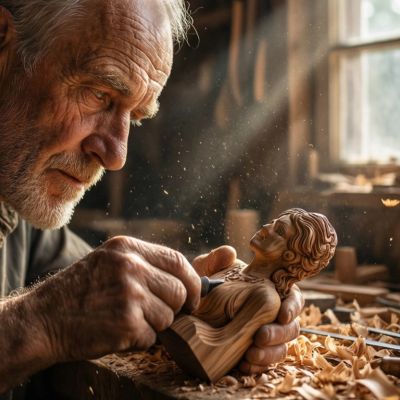
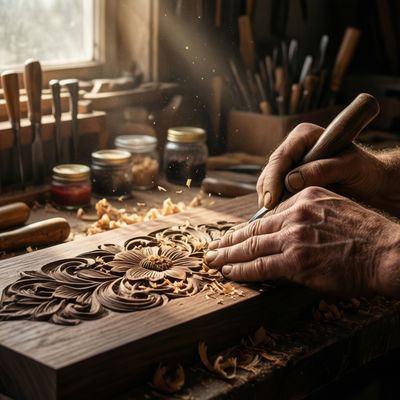
Improved version of Alibaba's Qwen image model with better text rendering, finer natural textures, and more realistic human generation.
Details
qwen-image-2512
Starting from
Prices shown are in USD
Full pricing detailsProviders & Pricing (1)
Qwen Image 2512 is available exclusively through Replicate, starting at $0.02/image.
replicate/qwen-image-2512
Qwen Image 2512 API OpenAI-compatible
Integrate Qwen Image 2512 into your workflow via Lumenfall’s OpenAI-compatible API to generate high-quality images from text prompts.
https://api.lumenfall.ai/openai/v1
qwen-image-2512
Code Examples
Image Edit
/v1/images/editscurl -X POST \ https://api.lumenfall.ai/openai/v1/images/edits \ -H "Authorization: Bearer $LUMENFALL_API_KEY" \ -F "model=qwen-image-2512" \ -F "[email protected]" \ -F "prompt=Add a starry night sky to this image" \ -F "size=1024x1024"# Response:# { "created": 1234567890, "data": [{ "url": "https://...", "revised_prompt": "..." }] }import OpenAI from 'openai';import fs from 'fs';const client = new OpenAI({ apiKey: 'YOUR_API_KEY', baseURL: 'https://api.lumenfall.ai/openai/v1'});const response = await client.images.edit({ model: 'qwen-image-2512', image: fs.createReadStream('source.png'), prompt: 'Add a starry night sky to this image', size: '1024x1024'});// { created: 1234567890, data: [{ url: "https://...", revised_prompt: "..." }] }console.log(response.data[0].url);from openai import OpenAIclient = OpenAI( api_key="YOUR_API_KEY", base_url="https://api.lumenfall.ai/openai/v1")response = client.images.edit( model="qwen-image-2512", image=open("source.png", "rb"), prompt="Add a starry night sky to this image", size="1024x1024")# { created: 1234567890, data: [{ url: "https://...", revised_prompt: "..." }] }print(response.data[0].url)Parameter Reference
Core Parameters
| Parameter | Type | Description | Modes |
|---|---|---|---|
prompt
|
string | Required. Text prompt for image generation |
T2I
Edit
|
negative_prompt
|
string | Negative prompt to guide generation away from undesired content |
T2I
Edit
|
seed
|
integer | Random seed for reproducibility |
T2I
Edit
|
Size & Layout
| Parameter | Type | Description | Modes |
|---|---|---|---|
size
|
string |
Image dimensions as WxH pixels (e.g. "1024x1024") or aspect ratio (e.g. "16:9")
1365x768
768x1365
1254x836
836x1254
887x1182
1024x1024
1183x887
WxH determines both shape and scale (aspect_ratio and resolution are ignored when size is provided). W:H format is equivalent to aspect_ratio.
|
T2I
Edit
|
aspect_ratio
|
string |
Aspect ratio of the output image (e.g. "16:9", "1:1")
9:16
2:3
3:4
1:1
4:3
3:2
16:9
Controls shape independently of scale. Use with resolution to control both. If size is also provided, size takes precedence. Any ratio is accepted and mapped to the nearest supported value.
|
T2I
Edit
|
resolution
|
string |
Output resolution tier (e.g. "1K", "4K")
1K
Controls scale independently of shape. Higher tiers produce larger images and cost more. If size is also provided, size takes precedence for scale. Any tier is accepted and mapped to the nearest supported value.
|
T2I
Edit
|
| Output |
size
|
aspect_ratio
+
resolution
|
|
|---|---|---|---|
| Flexible | |||
|
Custom
1–14142px per side
|
"WxH" |
— | Any pixel dimensions within model constraints |
1K 7 sizes
| Output |
size
|
aspect_ratio
+
resolution
|
|
|---|---|---|---|
| 1183 × 887 | "1183x887" |
or |
"4:3"
+
"1K"
|
| 1024 × 1024 | "1024x1024" |
or |
"1:1"
+
"1K"
|
| 887 × 1182 | "887x1182" |
or |
"3:4"
+
"1K"
|
| 836 × 1254 | "836x1254" |
or |
"2:3"
+
"1K"
|
| 1254 × 836 | "1254x836" |
or |
"3:2"
+
"1K"
|
| 768 × 1365 | "768x1365" |
or |
"9:16"
+
"1K"
|
| 1365 × 768 | "1365x768" |
or |
"16:9"
+
"1K"
|
How these parameters work
size
Exact pixel dimensions
"1920x1080"
aspect_ratio
Shape only, default scale
"16:9"
resolution
Scale tier, preserves shape
"1K"
Priority when combined
size is most specific and always wins. aspect_ratio and resolution control shape and scale independently.
How matching works
7:1 on a model with
4:1 and 8:1,
you get 8:1.
0.5K 1K 2K 4K)
or megapixel tiers (0.25 1).
If the exact tier isn't available, you get the nearest one.
Media Inputs
| Parameter | Type | Description | Modes |
|---|---|---|---|
image
|
file |
Required.
Input image(s) to edit
Supports PNG, JPEG, WebP.
|
T2I
Edit
|
Output & Format
| Parameter | Type | Description | Modes |
|---|---|---|---|
response_format
|
string |
How to return the image
url
b64_json
Default:
"url" |
T2I
Edit
|
output_format
|
string |
Output image format
png
jpeg
gif
webp
avif
Gateway converts to requested format if provider doesn't support it natively.
|
T2I
Edit
|
output_compression
|
integer | Compression level for lossy formats (JPEG, WebP, AVIF) |
T2I
Edit
|
n
|
integer |
Number of images to generate
Default:
1Gateway generates multiple images in parallel even if provider only supports 1.
|
T2I
Edit
|
Additional Parameters
Provider-specific passthrough fields, available only when the request is routed to the listed provider.
| Parameter | Type | Description | Modes |
|---|---|---|---|
|
Universal
|
|||
cfg_scale
|
number | Classifier-free guidance scale — higher values stick more closely to the prompt |
T2I
Edit
|
strength
|
number | How much to transform the input image: 0 keeps it unchanged, 1 fully regenerates from the prompt |
T2I
Edit
|
num_inference_steps
|
integer | The number of inference steps to perform. |
T2I
Edit
|
|
replicate
|
|||
disable_safety_checker
|
boolean | Disable safety checker for generated images. |
T2I
Edit
|
go_fast
|
boolean | Use the model with additional optimizations for faster generation. |
T2I
Edit
|
height
|
integer | Height of the generated image. Only used when aspect_ratio=custom. Must be a multiple of 16. |
T2I
Edit
|
output_quality
|
integer | Quality when saving the output images, from 0 to 100. 100 is best quality, 0 is lowest quality. Not relevant for .png outputs. |
T2I
Edit
|
width
|
integer | Width of the generated image. Only used when aspect_ratio=custom. Must be a multiple of 16. |
T2I
Edit
|
Parameter Normalization
How we handle parameters across different providers
Not every provider speaks the same language. When you send a parameter, we handle it in one of four ways depending on what the model supports:
| Behavior | What happens | Example |
|---|---|---|
passthrough |
Sent as-is to the provider | style, quality |
renamed |
Same value, mapped to the field name the provider expects | prompt |
converted |
Transformed to the provider's native format | size |
emulated |
Works even if the provider has no concept of it | n, response_format |
Parameters we don't recognize pass straight through to the upstream API, so provider-specific options still work.
Qwen Image 2512 FAQ
How much does Qwen Image 2512 cost?
Qwen Image 2512 starts at $0.02 per image through Lumenfall. Pricing varies by provider. Lumenfall does not add any markup to provider pricing.
How do I use Qwen Image 2512 via API?
You can use Qwen Image 2512 through Lumenfall's OpenAI-compatible API. Send requests to the unified endpoint with model ID "qwen-image-2512". Code examples are available in Python, JavaScript, and cURL.
Which providers offer Qwen Image 2512?
Qwen Image 2512 is available through fal.ai and Replicate on Lumenfall. Lumenfall automatically routes requests to the best available provider.
Overview
Qwen Image 2512 is an advanced text-to-image diffusion model developed by Alibaba, designed to generate high-fidelity visual content from natural language descriptions. Released as an iterative improvement within the Qwen model family, it focuses on bridging the gap between complex prompt comprehension and realistic visual execution. Its primary distinction lies in its upgraded ability to handle intricate details that typically challenge generative models, such as anatomical accuracy and legible typography.
Strengths
- Text Rendering Accuracy: The model shows significant improvement in generating legible, correctly spelled text within images, making it suitable for graphic design mockups and signage.
- Human Anatomy and Textures: It excels at producing realistic human features, specifically addressing common issues with limb proportions and skin textures.
- Fine-Grained Natural Detail: The model renders complex organic textures—such as fur, foliage, and fabric weaves—with high clarity and reduced blurring.
- Nuanced Prompt Adherence: It demonstrates a strong capability to interpret multi-subject prompts and maintain spatial relationships defined in the text.
Limitations
- Compositional Drift: Like many diffusion models, it may struggle with very long or contradictory prompts where later instructions override earlier ones.
- Stylistic Consistency: While highly capable at realism, it may require more specific prompting to achieve hyper-niche artistic styles compared to models fine-tuned exclusively for digital art.
- Inference Latency: Depending on the requested resolution and step count, generation times may be longer than smaller, distilled latent consistency models.
Technical Background
Qwen Image 2512 is built upon the Qwen architecture family, utilizing a transformer-based diffusion framework that leverages Alibaba’s proprietary linguistic models for text encoding. This version introduces refined training datasets that prioritize high-resolution image-text pairs, specifically targeting the improvement of fine textures and human geometry. The training approach emphasizes a balanced distribution between photographic realism and structured graphic elements.
Best For
This model is best suited for professional workflows requiring high-fidelity realistic imagery, advertising assets involving specific text elements, and character design where anatomical precision is a priority. It is also an excellent choice for rapid prototyping of UI elements or environmental concept art. Qwen Image 2512 is available for testing and integration through Lumenfall’s unified API and interactive playground, allowing developers to compare its output consistency against other state-of-the-art weights.
Try Qwen Image 2512 in Playground
Generate images with custom prompts — no API key needed.